Your sales team is out there every week. Conferences, prospect meetings, trade shows, networking events. They’re handing out contact details constantly. But here’s the problem: those connections scatter the moment the event ends. Leads end up in inboxes, on scribbled notes, in LinkedIn DMs that nobody follows up on.
Meanwhile, your brand is inconsistently represented across every team member’s personal card design. Some reps use outdated logos. Some put wrong phone numbers. Some don’t capture leads at all.
Digital business cards for teams solve this. Not just for the individual rep, but at the organizational level. Centralized control. Consistent branding. Automated lead capture. Real-time analytics by team, employee, and event.
Here are the 6 best digital business card platforms for teams in 2026, organized by use case so you can find the right fit for your organization’s size and maturity.
Key Takeaways:
- Purpose-built team platforms outperform consumer tools with team features bolted on.
- Directory sync eliminates card maintenance. Employee cards update automatically.
- Lead capture belongs in your selection criteria from day one, not as an afterthought.
- Bigger platform scope isn’t always better. Match the tool to what your team actually needs.
- The right digital card platform is infrastructure, not software.
Quick Comparison
| Platform | Best For | Team Mgmt | Pricing From | Top Feature |
| Digital Business Card PRO | Enterprise teams | Advanced | $5/user/mo | Directory sync + locked templates |
| HiHello | Solo individuals | Basic | $6/user/mo | Simple, clean card setup |
| QRCodeChimp | Enterprise teams | Advanced | Free / $6.99/mo | Design depth + 20+ templates |
| Popl | Event CRM workflows | Moderate | $7.99/user/mo | Event-to-CRM lead sync |
| Linq | SMB networking | Basic | $4.99/user/mo | Physical NFC band |
| Haystack | Vendor-managed rollouts | Moderate | Not listed | Managed onboarding coach |
How we evaluated: Team management and admin controls, bulk deployment, CRM and directory integrations, brand governance and template locking, lead capture at scale, analytics depth, and pricing for teams of 10 to 500+.
1. Digital Business Card PRO
Best for Enterprise Teams: The most complete digital business card management platform for organizations that need brand governance, directory integration, and centralized lead capture.
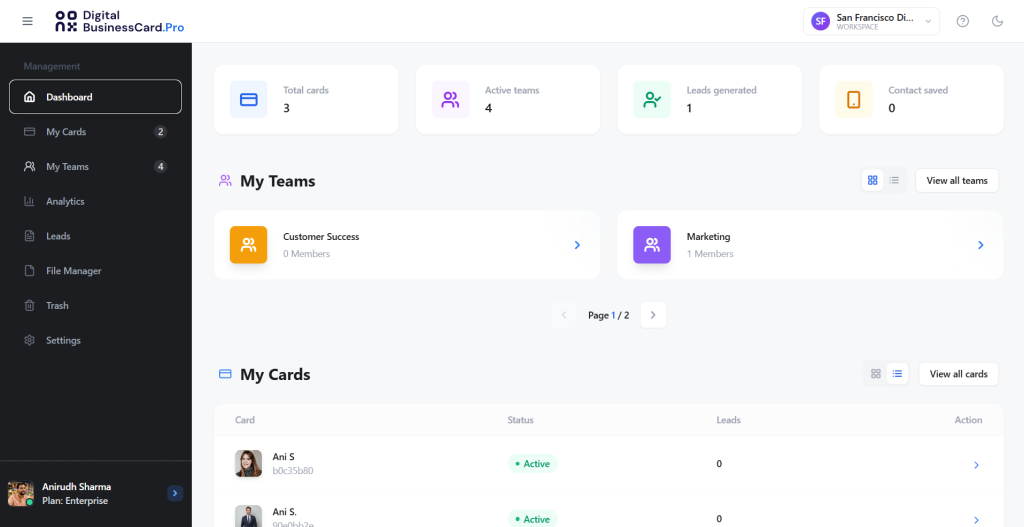
Digital Business Card PRO is purpose-built for enterprise teams and organizations. Where other platforms treat team management as an add-on, Digital Business Card PRO is architected around the organization from the ground up.
Every feature is designed around centralized business card management at scale. Your IT, sales ops, and marketing teams will each find exactly what they need.
At the same time, the platform is also the most capable in terms of design capabilities. It offers dozens of templates with advanced customization options, helping you create on-brand and stunning-looking digital cards.
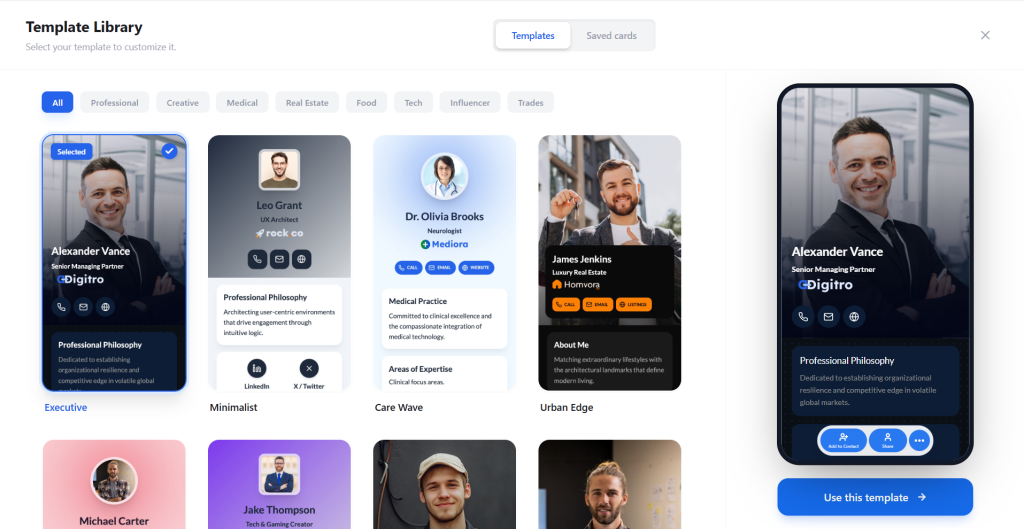
Key Features:
- Bulk create digital business cards from CSV upload or directory sync
- Directory integration with Azure Entra ID and Google Workspace (automatic sync)
- SSO integration with Google for centralized authentication
- Templates with locked fields to maintain consistency and brand governance
- Domain white labeling and brand kit (your domain, not ours)
- Role-based permissions and access to manage cards, teams, etc.
- Built-in lead capture forms on every employee card
- CRM integration: Salesforce, HubSpot, and Zoho with real-time lead routing (Coming soon)
- Advanced analytics by card, team member, team, and workspace
- Multiple workspaces with independent branding per business unit
- File manager for centralized asset governance
- Enterprise-grade security with GDPR compliance, data encryption, and strong DPA
Best for: Mid-market to enterprise organizations with 50 to 5,000+ employees, sales teams that attend conferences or events regularly, marketing teams that need brand consistency at scale, and IT teams that require directory and SSO integration.
Pricing: Starts at $4/user/month for team plans. Enterprise pricing available for large deployments with SSO and directory sync.
Pros:
- The only platform with true directory sync (Azure Entra ID + Google Workspace): employee cards update automatically when roles change
- Locked templates mean brand consistency is enforced at the platform level, not dependent on employee compliance
- Team-level and workspace-level analytics show which employees, teams, and events actually drive pipeline
- Domain white labeling support: Your cards live on your domain, not a third-party URL
- Built-in lead capture and management, closing the loop between networking and sales
Cons:
- Feature depth may be more than solo users or very small teams need
- Enterprise features (SSO, directory sync) require higher-tier plans
Bottom line: Digital Business Card PRO is the enterprise digital business card platform for organizations that need more than card creation. If brand governance, directory integration, and organizational-level lead capture matter to your team, there is no closer competitor.
2. HiHello
Best for Solo Individuals Who Just Want a Working Card
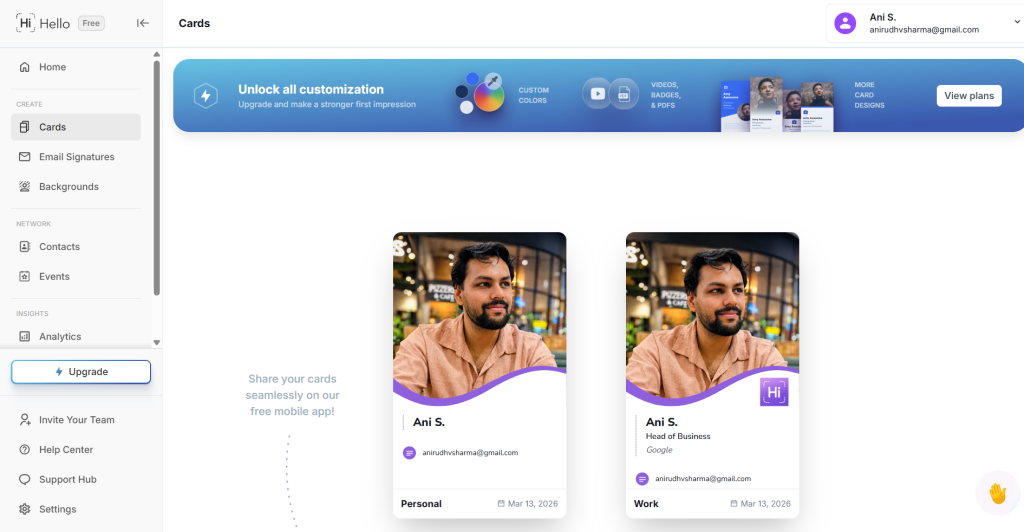
HiHello is a clean, well-designed digital card platform built primarily for individuals. If you are a solo professional, freelancer, or consultant who wants a polished digital business card up and running in minutes with no technical overhead, HiHello delivers exactly that. It has a team layer, but the platform’s real strength is individual ease of use. For anyone who needs a card that just works, it is one of the friendliest starting points on this list.
Key Features:
- Individual card creation with clean, professional templates
- QR code and link sharing
- Contact exchange tracking
- CRM connections to HubSpot and Salesforce
- Analytics on card views and contact exchanges
- iOS and Android apps with offline sharing capability
Best for: Solo professionals, freelancers, consultants, and individuals making the switch from paper cards who want a simple, no-fuss digital card without team management complexity.
Pricing: Free plan available for individuals. Paid plans start at $6/user/month.
Pros:
- Fastest setup on this list: a working card in under five minutes
- Clean, polished card designs that look professional out of the box
- Intuitive interface with virtually no learning curve
- Reliable QR code and contact exchange flows
Cons:
- Team management is limited; not built for organizational deployment
- No directory integration, SSO, or locked templates
- Analytics are individual-level only; no team or organizational aggregation
- Not the right fit once your team grows beyond a handful of people
Bottom line: HiHello is the go-to for solo individuals who want a professional digital card without complexity. For small to mid-size teams that need customization, bulk creation, and admin controls, QRCodeChimp is the stronger choice.
3. QRCodeChimp Digital Business Cards
Great for Teams and Enterprises: A Leading Digital Business Card Platform with Broader QR Solutions Built In
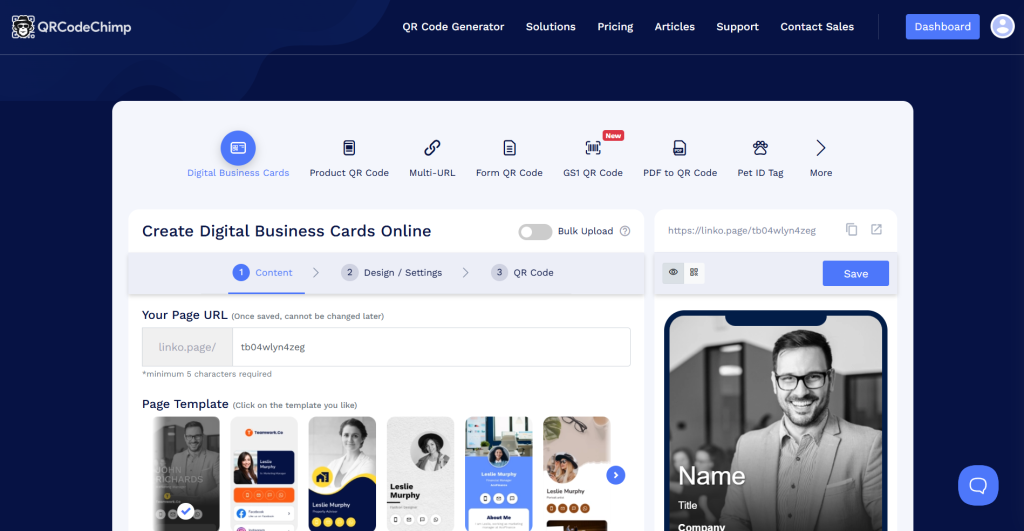
QRCodeChimp’s Digital Business Card is one of the most established names in the QR code and digital business card space, trusted by 2M+ professionals and built by engineers from Google and PayPal.
Its digital business card product is a fully enterprise-capable platform — with bulk creation, team management, CRM integrations, SOC2 Type II certification, and white label support. Where it differs from a dedicated card platform is scope: QRCodeChimp is a broader solution that also covers QR code management, landing pages, and other digital tools beyond cards.
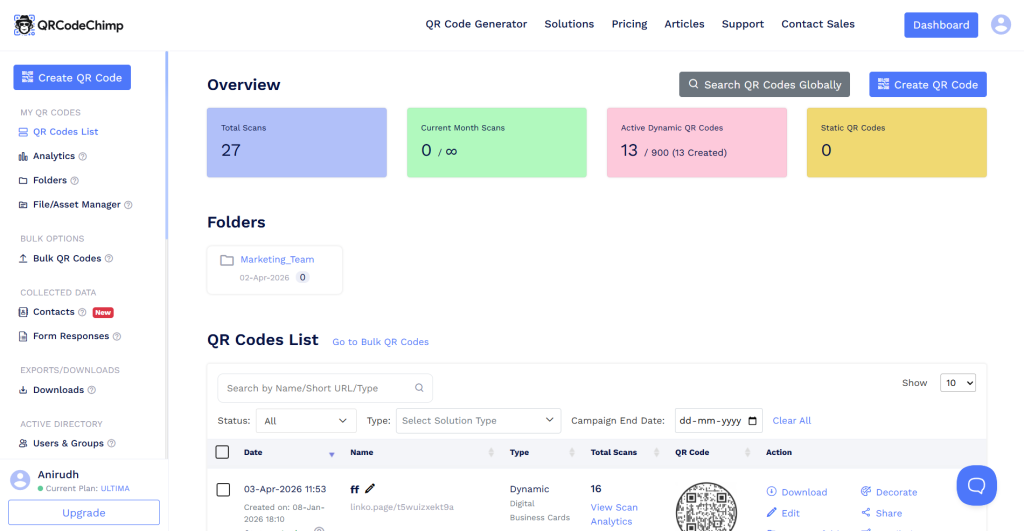
For enterprises already using QRCodeChimp for QR workflows, adding digital business cards is a natural, low-friction extension. For organizations evaluating it purely for cards, it is worth knowing you are getting a larger platform than you may need.
Key Features:
- 20+ industry-specific card templates (business, real estate, legal, medical, creative, and more)
- Rich card builder: add videos, image galleries, forms, appointment booking, testimonials, product listings, and social links
- Bulk create digital business cards via CSV upload
- Lead capture forms built into every card
- CRM integration: HubSpot, Salesforce, and Zoho
- Apple Wallet and Google Wallet integration for easy contact saving
- AI Business Card Reader to digitize paper business cards received
- Analytics dashboard with card scan tracking and engagement insights
- Team management with sub-accounts, folders, and shared edit access
- Lock settings to control which card components team members can edit
- White label support for custom domain branding
- SOC2 Type II certified and GDPR compliant
- Broader QR code platform: QR campaigns, landing pages, and digital tools beyond cards
Best for: Small to mid-size teams that prioritize design and customization, and enterprises that are already in the QRCodeChimp ecosystem or want a single platform that covers digital business cards alongside broader QR and digital asset management.
Pricing: Free plan available (1 card, full features). Paid plans start at $6.99/month. Visit qrcodechimp.com/digital-business-cards for current plan details.
Pros:
- Richest card customization of any platform on this list: design depth, component variety, and template selection are unmatched at this price point
- Fully enterprise-capable: SOC2 Type II, white label, bulk creation, CRM integration, and team controls
- Free plan lets teams evaluate the platform with no commitment before upgrading
- AI Business Card Reader digitizes paper cards you receive, closing the loop on both sides of a networking exchange
- Apple Wallet and Google Wallet integration makes saving contacts frictionless for recipients
- Lock settings give team admins control over brand-critical card fields
- Trusted by 2M+ professionals with a 4.9/5 customer rating
- Broader platform value: QR code management and other digital tools included
Cons:
- Platform scope goes beyond digital business cards — enterprises that want a card-only solution will be paying for tools they may not use
- Directory sync (Azure Entra ID / Google Workspace) and SSO are available on higher-tier plans
- Team-level analytics aggregation is less deep than enterprise-grade dedicated card platforms
Bottom line: QRCodeChimp is a leading digital business card platform with genuine enterprise credentials. If your organization is already using QRCodeChimp for QR workflows, the digital business card product is a natural fit at any team size. If you are evaluating it as a standalone card platform, it delivers at enterprise scale — with the caveat that the broader platform scope means you get more than just cards.
4. Popl
Best for Event Lead Syncing: Bring Event Contacts into Your CRM and Run Engagement Workflows
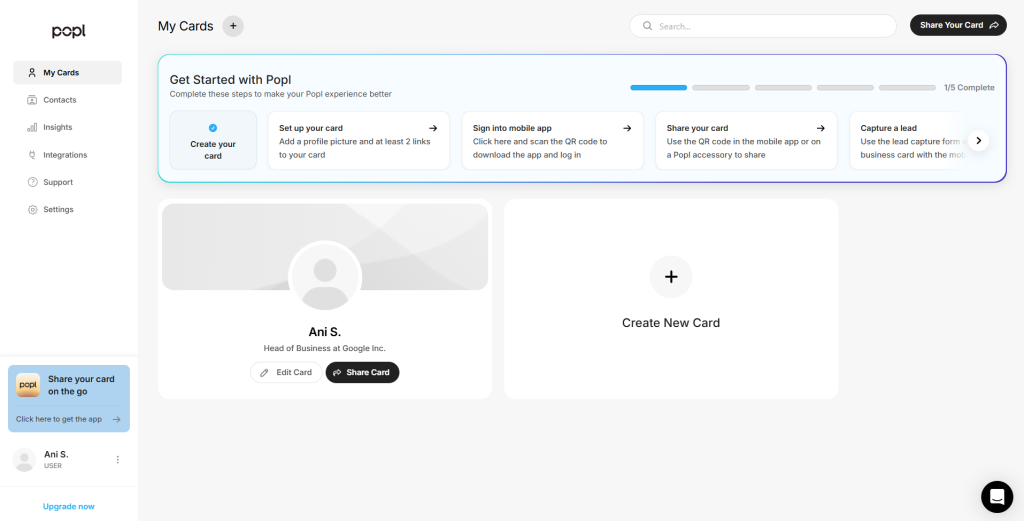
Popl offers a digital business card and basic lead capture, but its main strength is what happens after a contact is made. If your team walks away from conferences and trade shows with a pile of leads and no clean way to get them into your CRM, Popl solves that. It connects event contacts to HubSpot or Salesforce and lets you run follow-up engagement workflows from there. It is not a full-featured digital business card platform, but as a bridge between event networking and your CRM, it does the job well.
Key Features:
- Digital business card with QR code and NFC sharing
- Event mode for organized contact collection at conferences and trade shows
- CRM sync to HubSpot and Salesforce for event contacts
- Follow-up engagement workflows triggered from captured leads
- NFC hardware (Popl tags, bands, and cards)
- Basic lead capture forms on cards
- QR code backup for non-NFC environments
Best for: Sales and marketing teams that attend events regularly and want a simple way to get those contacts into their CRM and into a follow-up workflow.
Pricing: Starts at $7.99/user/month for team plans.
Pros:
- Clean connection between event contact capture and CRM
- Engagement workflows mean follow-up can start without manual data entry
- NFC hardware makes sharing frictionless at events
Cons:
- Higher per-user pricing than comparable platforms
- Digital business card and team management features are basic
- No directory integration, locked templates, or brand governance
Bottom line: Popl is a good fit if event networking is a regular part of your sales motion and you want those contacts landing in your CRM automatically. For a full-featured digital business card platform for everyday team use, the other options on this list are better suited…
5. Linq
Best for SMB Networking: Physical NFC Products with a Digital Platform
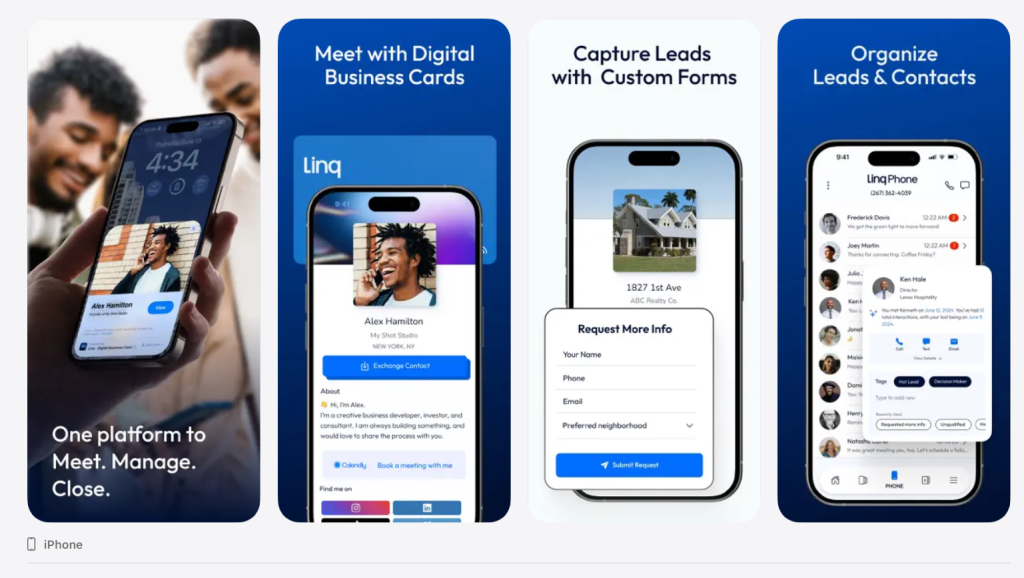
Linq started as a physical NFC product company (wearable bands, key fobs, cards) and built a digital platform around it. The product design is consumer-friendly and the NFC hardware is distinctive. For small business networking, Linq works well. For enterprise teams that need administrative control, integrations, and governance, it falls short.
Note: Linq is only available as a mobile app for Android and iOS.
Key Features:
- NFC wearables and physical product ecosystem (bands, cards, badges)
- Digital profile with links and contact info
- Basic team accounts
- Lead capture and contact management
- QR code sharing
- Limited CRM sync
Best for: Small businesses and individual professionals who want distinctive NFC wearable products alongside a digital card platform.
Pricing: Starts at $4.99/user/month. Physical NFC products sold separately.
Pros:
- Most distinctive physical NFC product line on this list
- Easy setup for non-technical users
- Good for personal brand and individual professional use
Cons:
- Limited team management and admin controls
- CRM integrations are basic and unreliable for enterprise use
- No directory integration, SSO, or brand governance features
- Analytics are minimal
Bottom line: Linq is best for small business owners and individual professionals who want a physical NFC product alongside a digital presence. It is not the right fit for organizations that need centralized team management or enterprise integrations.
6. Haystack
An Enterprise Option with a Narrow Fit: Best If Managed Onboarding Is Your Primary Need
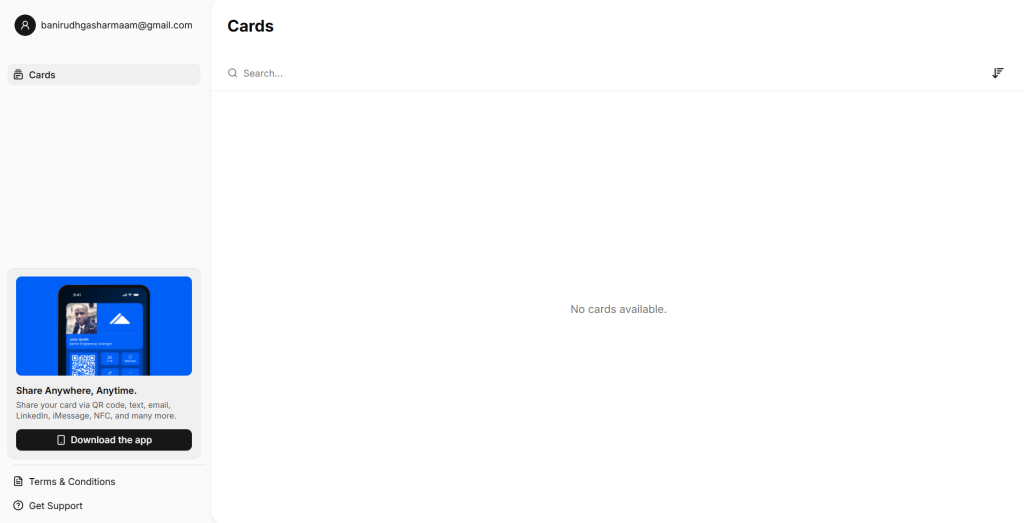
Haystack’s main selling point is managed onboarding: a dedicated coach guides your organization through deployment, which helps with adoption in companies that lack internal change management resources. Beyond that, the feature set covers enterprise basics but with gaps — some CRM integrations route through Zapier rather than native connections, design customization is limited, and enterprise pricing is not publicly listed.
Note: There’s no way to create a card yourself for free. You have to contact their team for it.
Key Features:
- Managed onboarding with a dedicated Haystack coach
- HR system integrations: Microsoft Entra ID, Google Workspace, Workday, and SAP
- SSO support and SOC2 Type II security compliance
- Admin dashboard with template control and field-level locking
- CRM integrations: Salesforce, HubSpot (with some via Zapier)
- AI paper card scanner to digitize received cards
- Branded email signatures managed centrally
- Multi-language card support
- Sustainability program: one tree planted per paid user
Best for: Large organizations that lack internal IT or change management resources and want a vendor to handle the rollout end-to-end. A narrow fit compared to more flexible enterprise platforms.
Pricing: Not publicly listed. Enterprise contracts required. Free plan available for individuals.
Pros:
- Dedicated onboarding coach can improve adoption in organizations with low internal IT capacity
- HR integrations with Workday and SAP cover a broader range of directory systems
- Sustainability program is a genuine differentiator for ESG-conscious organizations
Cons:
- Pricing is opaque; no self-serve enterprise option means you are locked into vendor-managed contracts
- CRM integrations are not all native — some routes require Zapier, adding complexity
- Design customization is limited; card aesthetics are functional but not flexible
- The managed onboarding model adds cost for organizations that can handle deployment themselves
- Feature depth and admin control are narrower than purpose-built enterprise platforms
Bottom line: Haystack works if your organization genuinely needs a vendor to manage the rollout for you and ESG reporting matters to your stakeholders. For everything else an enterprise team needs — transparent pricing, deeper admin controls, native CRM routing, directory sync, and locked templates — there are more capable platforms on this list.
3 Things Teams Get Wrong When Choosing a Digital Business Card Platform
Most teams don’t make a bad choice. They make an uninformed one. The wrong platform isn’t always obvious at sign-up; the gaps show up weeks later when adoption stalls, brand consistency breaks down, or leads disappear into individual inboxes. Here are the three mistakes we see most often.
1. Choosing an Individual Tool and Calling It a Team Solution
Most digital card platforms start as consumer products and add team features as an afterthought. What you get is a team dashboard bolted onto an individual product. That means no locked templates, no centralized lead capture, no directory sync, and no real brand governance. Your team of 50 ends up with 50 different card designs.
Look for platforms built team-first. The difference shows up in whether templates are truly lockable, whether analytics aggregate at the team level, and whether deployment can be automated.
2. Underestimating the Maintenance Cost
You deploy 200 employee digital business cards in week one. Now someone changes roles. Someone leaves the company. A new hire joins. Without directory integration, updating cards becomes a manual, ongoing job. Platforms that integrate with Azure Entra ID or Google Workspace eliminate this entirely. Employee cards update automatically when your directory updates. That is the difference between a tool and an actual system.
3. Ignoring Lead Capture Until It Is Too Late
Teams choose a platform, get everyone set up, and six months later realize they have no idea which events or team members actually drove qualified leads. Cards were shared. Contacts were made. But the data lives in individual inboxes.
Build lead capture into your platform selection criteria from day one. Look for platforms that route leads directly to your CRM and show performance analytics at the team and event level. That data is the ROI proof your leadership team will eventually ask for.
Final Verdict: Which Platform Should Your Team Choose?
- For enterprise teams (50+ employees): Digital Business Card PRO is the gold standard platform purpose-built for centralized business card management at scale. Directory sync, locked templates, organizational analytics, and CRM integration make it the operational choice for organizations serious about team networking and lead capture. QRCodeChimp is a close second.
- For individuals and small teams: HiHello is the fastest, cleanest starting point with virtually no setup friction.
- If vendor-managed rollout is your only requirement: Haystack covers that narrow use case, but for the full enterprise feature set with more control and transparent pricing, there are stronger options on this list.
- For event CRM workflows: Popl’s event mode and real-time CRM routing make it the strongest tool for teams that need structured lead capture at conferences and trade shows.
The shift from paper to digital business cards for teams is not just a format upgrade. It is an infrastructure decision. Choose a platform that matches where your organization is going, not just where it is today. The teams that win at enterprise networking are the ones that centralize their lead capture, enforce brand consistency, and measure what actually drives pipeline.
Frequently Asked Questions
What is the difference between digital and NFC business cards?
A digital business card is a web-based contact profile you share via QR code, link, or email. An NFC business card is a physical card or device that transmits your digital profile when tapped against a compatible smartphone. Most enterprise platforms offer both. For teams, the digital management layer matters more than the sharing hardware.
Can multiple team members share a single account?
On consumer-grade platforms, yes, but it defeats the purpose. Enterprise platforms like Digital Business Card PRO are built around individual employee cards managed centrally. Each team member has their own branded card while the organization controls templates, branding, and lead capture from one admin dashboard.
Do these platforms integrate with Gmail, Outlook, and calendar tools?
Most platforms offer email signature integration. CRM integration (routing captured leads to Salesforce, HubSpot, or Zoho) is the more strategically important integration for team use cases.
How long does it take to set up a team?
For consumer platforms, 5 to 15 minutes per person. For enterprise platforms with directory sync, bulk creation lets you deploy cards for your entire organization in under an hour. Digital Business Card PRO’s directory integration means initial setup takes about 30 minutes; after that, new employee cards are created and updated automatically.
Can we customize cards with our company branding?
Yes, on most platforms. The distinction is control. Consumer platforms let individuals customize their own cards. Enterprise platforms like Digital Business Card PRO let administrators lock templates so every employee card follows brand guidelines with no ability for individual deviation. That is the governance difference that matters at scale.
Are digital business card platforms secure and compliant?
Enterprise-grade platforms support SSO, role-based permissions, and audit logging. Look for SOC 2 certification and GDPR compliance for regulated industries. Digital Business Card PRO supports SSO and enterprise security standards. QRCodeChimp is SOC2 Type II certified and GDPR compliant.
You may also like
5 Best Event Lead Capture Tools in 2026
Event lead capture gets messy fast. Let’s look at the five best event lead capture tools, and how to choose the right one.
Base44 vs. DigitalBusinessCard.Pro
Base44 vs. DigitalBusinessCard.Pro is like comparing the two is a bit like comparing apples to oranges. Here's what you must know.