Confusion kills decision-making.
You’re trying to understand how much a digital business card costs, which probably means you’re considering one for yourself, your team, or your business. What you need to know now is: How much should you actually spend?
But there’s a lot of conflicting information out there. Some sources say digital business cards are free. Some platforms charge several dollars a month. Others include physical NFC cards and accessories in the overall cost, and suddenly a digital business card starts sounding much more expensive than it really is.
This guide aims to clear up that confusion. We’ll compare free vs. paid digital business cards, separate the cost of the digital card from optional physical accessories, and help you decide how much makes sense to invest based on what you actually need.
Key Takeaways:
- Digital business cards can cost anywhere from $0 to paid monthly plans.
- Free plans are often enough for basic contact sharing and networking.
- Paid plans make sense when you need more control, leads, or team features.
- NFC cards are optional add-ons, not required for digital business cards.
- The right plan delivers enough value to justify its cost.
How much does a digital business card cost?
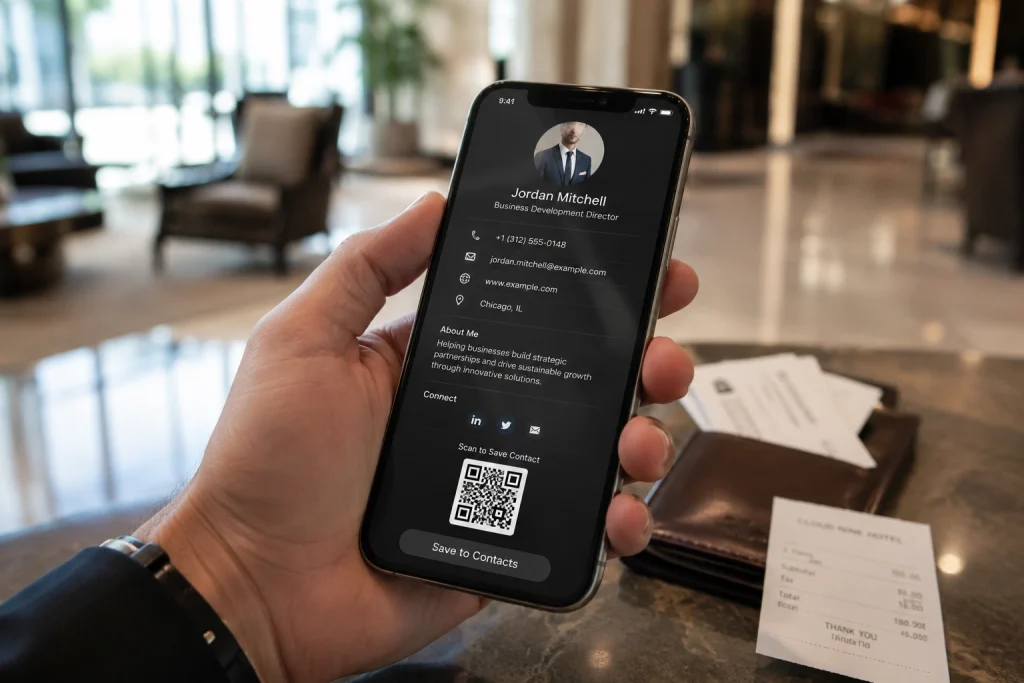
A digital business card can cost anywhere from $0 for basic individual use to tens of dollars per month for team and enterprise plans, depending on what you need it to do.
Yes, that’s a pretty wide range. So, let’s break it down.
If all you need is a digital card to share your contact information, you may not have to pay anything. For example, DigitalBusinessCard.Pro offers one lifetime free digital business card with full customization and unlimited sharing.
That said, the benefits of digital business cards don’t end at contact sharing. That’s just the beginning.
Platforms like DigitalBusinessCard.Pro allow you to capture leads, route them to your CRM, add and manage team members, use a custom domain, access more detailed analytics, and enforce consistent branding, all from a single platform.
That’s where paid plans come in. By investing in a paid plan, you can unlock these features for yourself or your team.
The tricky part is that pricing isn’t always structured the same way. The number of cards or users you need, the features included, and the level of team management you want can all affect what you eventually pay.
So, instead of looking only at the headline price, look at what you’re actually getting for it.
If you only need a professional way to share your contact details, a free plan may be enough. If you want to use digital business cards for lead generation, follow-ups, team management, branding, or other business workflows, a paid plan can make sense.
To learn more about the capabilities of a digital business card, check: 10 Must-Have Features of a Professional Digital Business Card Profile
In the next section, we go deeper into the free vs. paid digital business card comparison to clarify the differences.
Free vs. paid digital business cards: The key differences

Before we proceed, it’s important to understand that the differences between free and paid digital cards vary by platform.
For instance, DigitalBusinessCard.Pro offers the following for free:
- 1 lifetime free digital business card
- Unlimited templates with custom colors and fonts
- Unlimited sharing and contact exchange
- Lead capture with up to 10 leads a month, plus lead management
- Email signature and virtual background
- Support for Apple/Google Wallet and NFC linking
- Card analytics for the last 30 days
- File manager with 100 MB total storage
- Security and compliance features including MFA, GDPR support, and data encryption
Not every platform includes all of this in its free plan. Some may limit customization, analytics, lead capture, or other features unless you upgrade.
So, for this comparison, we’ll use DigitalBusinessCard.Pro’s free plan as the benchmark.
In simple terms, a free plan is usually enough to get your digital card up and running. A paid plan starts making sense when you need more cards, higher limits, better analytics, team management, automation, or greater control.
Here’s what you can typically unlock by moving to a paid plan:
- Create and manage more digital business cards: Paid plans let you go beyond a single card, making them suitable for professionals with multiple roles and businesses managing cards for employees, departments, or locations.
- Give teams controlled access with subaccounts and role-based permissions: Add admins, managers, or other users without giving everyone full account access. Assign permissions based on what each person needs to manage.
- Create employee cards at scale: Instead of building cards one by one, paid plans can support bulk creation, SSO-based onboarding, approval workflows, and integrations with Google Workspace or Microsoft Entra ID.
- Maintain consistent branding across every card: Apply company colors, fonts, logos, and other brand elements centrally so employee cards follow the same visual identity, even when you’re managing dozens or hundreds of cards.
- White-label the card experience: Higher-tier plans can remove platform branding and use a custom domain, giving employees, customers, and prospects a card experience that feels like an extension of your own brand.
- Capture more leads and scan more physical business cards: Paid plans increase lead-generation and card-reader limits, making them better suited for sales teams, events, conferences, and professionals who regularly exchange contact information.
- Access deeper analytics and longer historical data: Go beyond limited recent activity to analyze card views, engagement, contact saves, lead generation, and other performance data over longer periods.
- Control what employees can edit: Field locking and centralized brand controls allow administrators to protect important company information while still giving employees control over approved personal fields.
- Store and share more files: Higher file-manager limits make it easier to add presentations, brochures, portfolios, product documents, certificates, and other resources directly to digital business cards.
- Get faster support when you need it: Paid plans can include priority support, which becomes increasingly important when digital business cards are being used across teams or as part of an organization-wide deployment.
So, the difference isn’t simply “free card vs. paid card.”
You’re usually paying for higher limits, more control, more automation, and the ability to manage digital business cards at scale.
Are physical accessories like NFC cards a part of digital business card pricing?
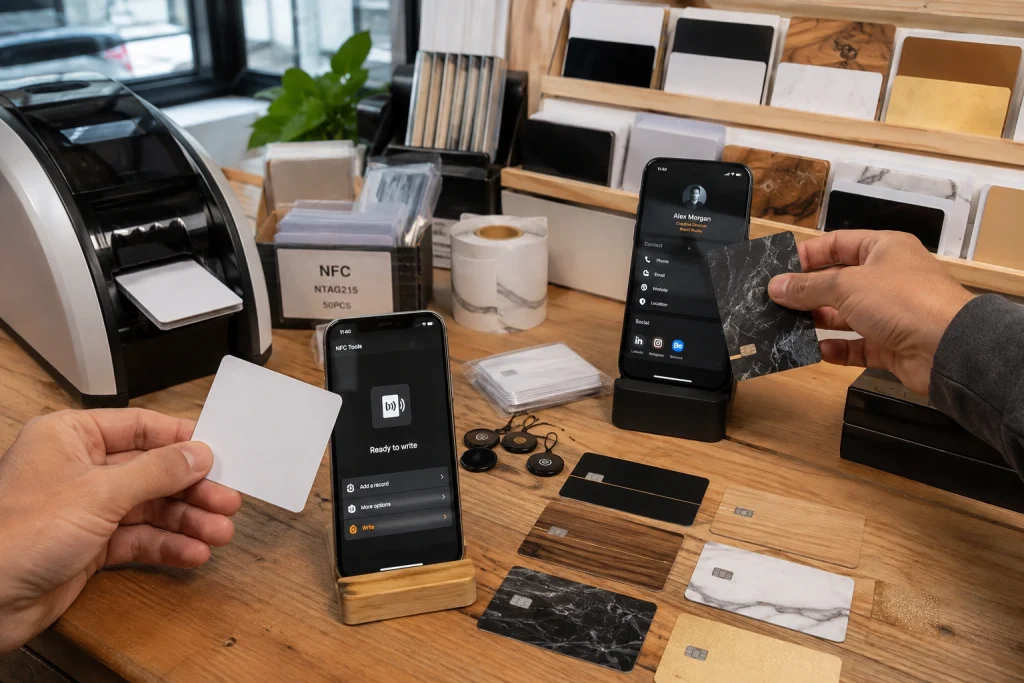
Not necessarily.
A digital business card works perfectly well without an NFC card, bracelet, tag, badge, or any other physical accessory. At its core, it’s a digital profile that you can share using a QR code, card URL, email signature, virtual background, Apple or Google Wallet, and other digital methods.
Physical accessories simply sit on top of that experience. They give you another way to share the same card, but they aren’t required for the card to work.
That distinction matters when you’re comparing prices.
Some providers bundle their digital business card software with branded NFC cards or other physical products. If you look at the total package price without separating the two, digital business cards can suddenly seem much more expensive than they really are.
The easiest way to think about it is this: the digital business card is the product. The NFC card is a sharing accessory.
That doesn’t mean NFC cards aren’t useful.
If you regularly attend conferences, trade shows, networking events, or in-person meetings, tapping a card against someone’s phone can be quicker and more convenient than opening your QR code every time.
You’re simply paying extra for that convenience.
Do you need to buy the NFC card from your digital business card provider?
No.
If convenience is your priority, buying a ready-to-use NFC card from your provider can make sense. It can arrive branded, programmed, and already linked to your digital business card, so setup is minimal.
But you can also do it yourself.
You can buy a blank NFC card separately and use an NFC writing app on a compatible smartphone to link your digital business card URL. If you want branded cards, you can also work with a local or online NFC card supplier and have your logo, colors, or QR code printed on them.
That route can be more cost-effective, especially if you need cards for several team members.
So, when comparing digital business card pricing, always separate the software cost from the optional physical accessory cost.
If you want maximum convenience, a bundled package may be worth paying for. If you’re comfortable doing a little setup yourself, you can get the same sharing functionality for much less.
How much should you invest in digital business cards?

With options ranging from $0 for an individual card to larger team and enterprise plans, deciding how much to spend on digital business cards can be tricky.
There’s also no universal “right amount.” Pricing varies by platform, and so do the features included in each plan.
A better question to ask is:
What do you actually need your digital business card to do?
If you’re a solo professional, such as a freelancer, small business owner, or service provider, and primarily want to share your contact information, a free plan can be a great starting point.
Note: To help you understand the cost better, we’ll use DigitalBusinessCard.Pro’s paid plans as an example. You can run the same exercise with any other platform.
As your needs grow, you may want higher lead-generation limits, better branding options, more analytics, or other professional features.
As a benchmark, DigitalBusinessCard.Pro offers its Individual plan at $4/month.
For teams, the requirements are usually different.
You may need to create cards in bulk, capture more leads, give different team members access to the account, lock certain fields, enforce consistent branding, white-label the experience, and access more advanced analytics.
DigitalBusinessCard.Pro’s Teams plan starts at $15/month. For a five-person team, that works out to $3 per person per month.
Enterprise requirements can go a step further.
Larger organizations may need directory integrations, higher user and lead limits, stronger administrative controls, and a more scalable way to create and manage digital business cards across the organization.
DigitalBusinessCard.Pro’s Enterprise plan starts at $35/month.
The important part isn’t whether $4, $15, or $35 sounds cheap or expensive on its own.
It’s what you’re getting for that amount.
Once you understand what you need and what it costs, thinking about ROI becomes much easier.
How to calculate ROI?
Suppose you have five sales reps using the $15/month Teams plan.
They attend events, meet prospects, share their cards, capture leads, and use those interactions to build their sales pipeline.
Your digital business card software is costing the entire team $15 a month.
Now ask a simple question: Does it create more than $15 in value each month?
If the leads and opportunities it helps generate contribute more than that, you’ve already recovered the software cost.
And the value can go well beyond one converted lead.
You’re also making it easier for reps to capture contact information, follow up with prospects, maintain consistent branding, and understand which cards and interactions generate engagement.
For a larger company, the value may also come from the time saved creating cards, updating employee information, maintaining brand consistency, and managing cards centrally.
That’s why the right digital business card budget shouldn’t be based on finding the cheapest plan.
It should be based on paying for the capabilities that create enough value to justify the cost.
Final thoughts
So, how much does a digital business card cost?
For basic individual use, it can cost nothing. As you start needing more leads, analytics, cards, team management, branding controls, integrations, or enterprise features, paid plans start making more sense.
And remember, an NFC card is optional. It can make sharing more convenient, but it isn’t what makes your digital business card work.
The goal isn’t to find the cheapest plan. It’s to pay for what you actually need and make sure the value you get is worth the cost.
If you’re still figuring that out, starting free is perfectly reasonable. DigitalBusinessCard.Pro gives you one lifetime free digital business card, so you can create your card, start sharing it, and upgrade only when your requirements grow.
Frequently asked questions
Are digital business cards really free?
Yes, they can be. Some platforms offer free digital business cards that are perfectly usable for sharing your contact details, links, and other information. The catch is that free plans often limit things like the number of cards, leads, analytics, storage, or team features. If those limits don’t affect you, there’s no reason to pay just for the sake of upgrading.
Do digital business card platforms charge per card or per user?
It depends on the platform. Some charge based on the number of cards or users, while others offer plans that cover an entire team up to a certain limit. Enterprise pricing may work differently again. That’s why it’s worth looking beyond the advertised monthly price and checking exactly how many cards, users, and features are included.
Do I need to buy an NFC card to use a digital business card?
No. An NFC card is completely optional. You can share a digital business card using its QR code, URL, email signature, virtual background, Apple or Google Wallet, and other digital methods. An NFC card simply gives you another convenient way to share the same card during in-person interactions.
What should I compare when choosing a digital business card plan?
Start with what you’ll actually use. Look at the number of cards included, lead limits, analytics, branding options, team access, CRM integrations, bulk creation, and any administrative controls you need. For larger teams, things like role-based access, directory integrations, SSO, and white labeling may also matter. The cheapest plan isn’t necessarily the best value if it leaves out features you need.
Is it worth paying for a digital business card?
It definitely is, but it depends on what you want your digital card to do. A solo professional who only wants to share contact details may be perfectly happy with a free card. However, a sales team capturing leads, managing employee cards, tracking engagement, or connecting those leads to a CRM has much more to gain from a paid plan. The right answer depends on what you expect the card to do.
You may also like
Professional Email Signature Guide: What to Include and How to Create One
This guide discusses what a professional email signature is, what to include in it, how to create one, and how to use it with your digital card.
5 Best Event Lead Capture Tools in 2026
Event lead capture gets messy fast. Let’s look at the five best event lead capture tools, and how to choose the right one.
How to Integrate Digital Business Card with Your HubSpot
Learn how to connect HubSpot with Digital Business Card PRO, map form fields, and automatically send digital business card form submissions to HubSpot.
Brand Consistency Across Teams: Standardize Customer-Facing Touchpoints and Measure Results
Brand consistency cannot scale through guidelines alone. Here’s how to build a system that ensures brand consistency across teams.