Your team had a great event, and the reps nailed the conversations.
Now you have hundreds of leads spread across spreadsheets and dashboards, with no clear way to score, segment, assign, and follow up with them.
This is where many teams get stuck. They focus heavily on in-person interactions and lead capture but overlook what happens after the lead is collected.
And let’s not get mistaken. Lead capture is what fuels the engine. Without it, there are no leads to convert.
But if lead capture is the fuel, lead management is what keeps the engine running. Without a clear process, scoring becomes inconsistent, segmentation gets messy, ownership stays unclear, and follow-ups are delayed or missed altogether.
As a result, your entire sales engine stalls!
This guide walks you through managing event leads after capture, along with best practices to follow and common mistakes to avoid.
Key Takeaways:
- Enrich every lead with complete company data and event context before scoring.
- Prioritize leads consistently based on fit, buying intent, and sales readiness.
- Route each qualified lead to the right owner before follow-up begins.
- Follow up quickly and personalize outreach using the context captured at the event.
- Nurture non-ready leads and track their progress until they convert or close out.
What is event lead management?
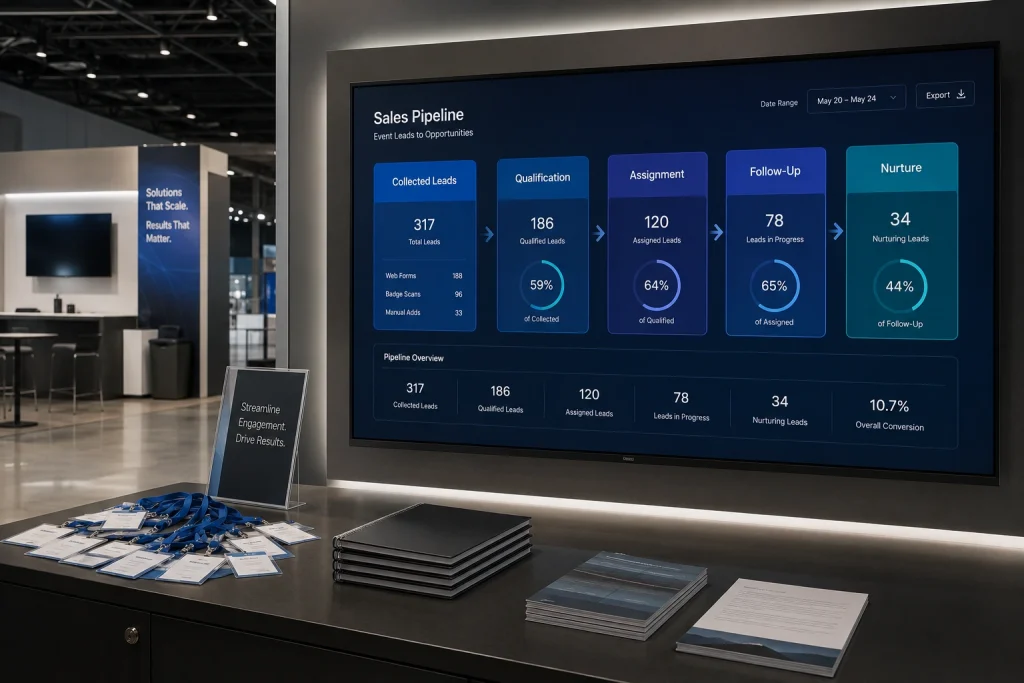
“Event lead management is the complete process of qualifying, routing, and following up on prospect data gathered at trade shows, conferences, and marketing events.”
It typically includes:
- Lead qualification
- Lead routing
- Follow-up and lead nurturing
- Conversion tracking
Some definitions consider lead capture part of event lead management, which isn’t entirely wrong. However, capturing leads is a separate process that requires goal setting, choosing capture methods, and getting prospects into your system in the first place.
In this guide, we’ll keep capture separate and focus only on what happens after it.
If you’re looking for a more detailed guide to event lead capture, check out Offline Lead Generation Strategy, which covers that part in greater depth.
What event lead management isn’t?
Event lead management isn’t simply collecting contact information. In other words, it isn’t the same as event lead generation or lead capture.
Lead generation creates the opportunity, and lead capture records the prospect.
Lead management takes over from there, helping sales teams qualify, assign, follow up with, nurture, and track those leads through the sales process.
Where does it break?
At least 40% of leads generated on the trade show floor go unfulfilled, according to EXHIBITOR magazine. The report also mentioned that up to 90% of exhibiting companies struggled with follow-ups.
The problem is clear. Leads get collected, but the process breaks down afterward. Records remain incomplete, leads don’t make it to the CRM, qualification and routing are delayed, and many prospects go cold without a timely follow-up.
This guide aims to fix that gap. In the next section, we’ll walk through a five-step process for turning captured event leads into organized, prioritized, and actionable sales opportunities.
The 5-step event lead management process
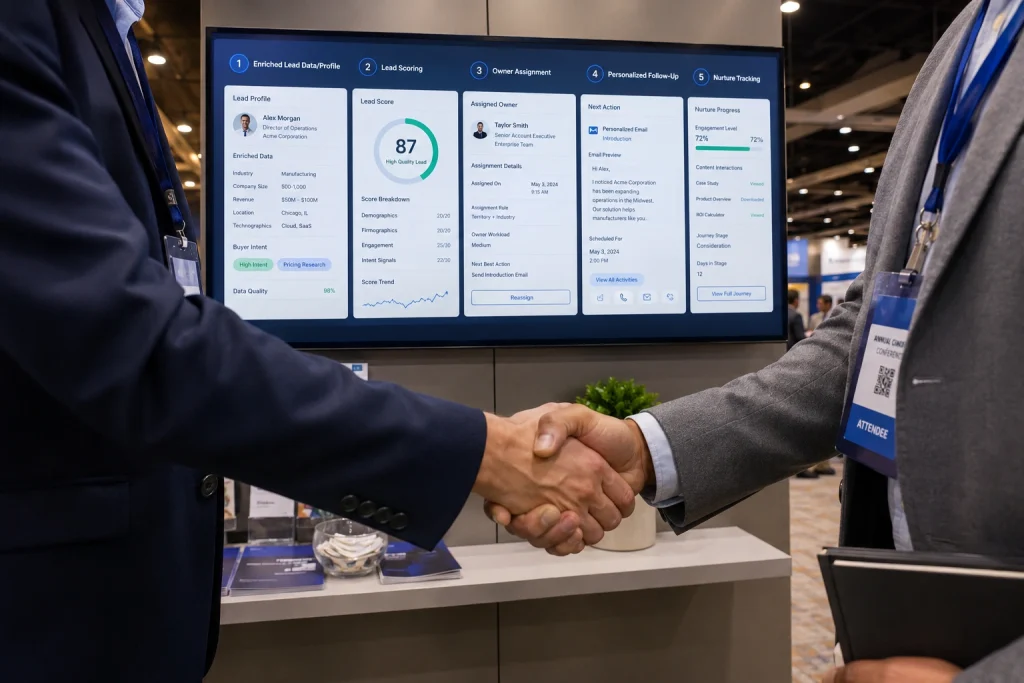
Here’s a simple 5-step framework sales teams can follow after an event to turn captured leads into actionable opportunities.
1. Complete the lead record while the context is still fresh
Raw badge scans or lead capture form submissions may only provide basic contact details.
After the interaction, ask reps to log conversation details, pain points, and intent signals. Ideally, this should happen immediately after the conversation. If that’s not possible, reps should complete the record as soon as they can while the context is still fresh.
Background enrichment is equally important. Add firmographic data such as industry, company size, funding status, and annual revenue. You can either do it manually or use research and enrichment tools to automate the process.
A complete record might include:
- Contact and company details
- Role and decision-making influence
- Conversation notes
- Pain points or use case
- Product or solution interest
- Event source
- Rep who captured the lead
Doing this before the next step (lead scoring and qualification) ensures that every lead is prioritized accurately.
2. Decide which leads to focus on first
Not all leads are equal. Some are still learning they have a problem, some are actively looking for a solution, and others may already be evaluating products to purchase.
When filtering through leads, evaluate two things in particular:
1. Fit: How closely does the company and contact match your ideal customer profile?
2. Intent: How strongly did the prospect signal an active need or interest?
Based on these signals, you can classify leads as High, Medium, or Low priority and plan your next steps accordingly.
Once qualification and scoring are complete, you can move to the next step: routing each lead to the right owner.
3. Automatically assign leads to the right owner
There are two common approaches to lead ownership.
One, the rep who captures the lead owns it. Two, you can route it based on factors such as territory, company size, industry, product interest, existing account ownership, or rep specialization.
Choose the approach that best fits your sales structure.
Where possible, automate routing through your CRM or lead management system. Keeping leads in spreadsheets and manually distributing them across reps is slower, harder to track, and more error-prone.
This is where DigitalBusinessCard.Pro comes in – an enterprise digital business card platform that helps you capture event leads at the time of interaction. It integrates with HubSpot, Salesforce, and other CRMs to move captured leads into your CRM and existing sales workflows.
And if you don’t use a CRM, DigitalBusinessCard.Pro helps you capture, manage, assign, and follow up with leads from one single platform.
We’ll look at its event lead management capabilities in more detail later in this guide.
4. Follow up ASAP, and make it personalized
An HBR study in March 2011 found that teams that follow up within 1 hour were ~7x more likely to qualify the lead than those who waited longer. Compared with teams that waited 24 hours or more, they were over 60x more likely to qualify the lead.
The study is quite dated, and that’s the beauty of it. Over the years, attention spans have shrunk significantly, and consumers are being bombarded with communications from every possible direction.
So, the importance of quick follow-ups has only increased over the years.
The point is: Follow up ASAP!
Speed alone isn’t enough. Avoid generic follow-up templates, and use the context collected during the interaction to personalize the message. A 2021 McKinsey & Company study found that 71% of consumers expected personalized interactions, while 76% became frustrated when they didn’t receive them.
Refer to the actual conversation and tailor your message to the prospect’s pain points, interests, or requirements.
Lastly, don’t assume one unanswered message means the opportunity is lost. Follow up across appropriate channels such as email, SMS, and LinkedIn. RAIN Group research found that it takes an average of 8 touchpoints to secure an initial meeting or conversion with a new prospect.
5. Nurture non-ready leads
Not every qualified lead is ready to buy immediately. But a lack of buying intent today doesn’t necessarily mean there won’t be an opportunity later.
Instead of leaving these leads sitting indefinitely in the sales pipeline, move them into an appropriate nurture path based on their fit, interests, and stage.
That might include relevant educational content, product updates, case studies, newsletters, and time-limited offers.
Continue monitoring engagement and move leads back to sales when they show stronger intent or become ready for a conversation.
What are some best practices to manage event leads
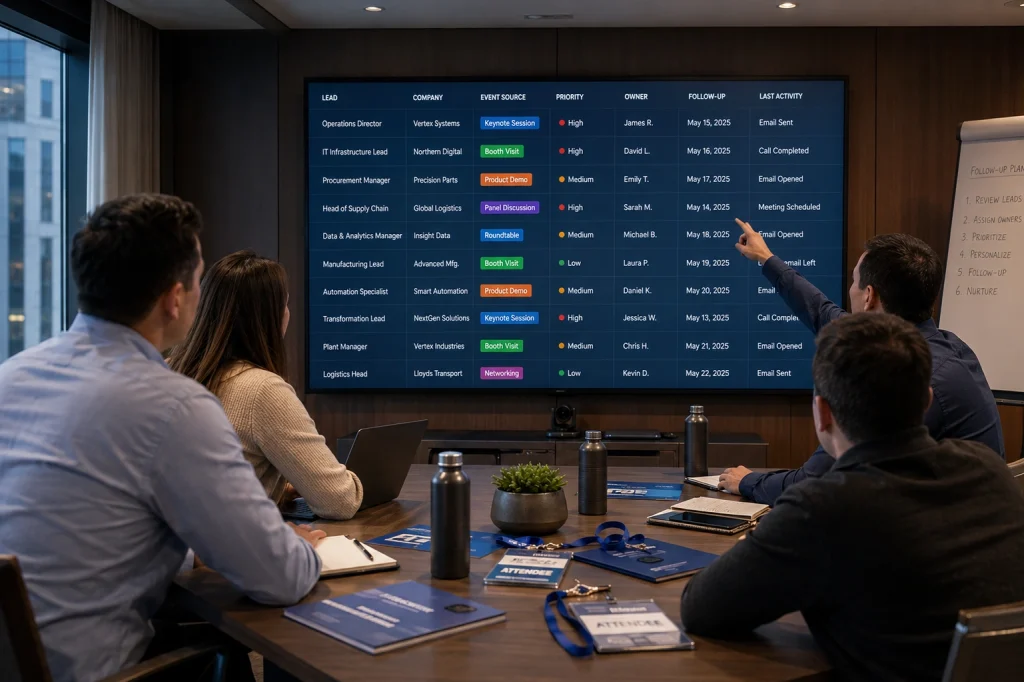
The above 5-step framework provides a process for handling, routing, and following up with leads.
Here are a few best practices to make that process more efficient and increase conversion rates.
1. Keep the scoring criteria consistent: Clearly define what makes a lead high, medium, or low priority, and apply those criteria consistently across reps. If each rep interprets buying intent differently, lead scoring and qualification become unreliable.
2. Set clear post-capture action steps: Decide how and when each lead category should receive communication based on its priority. High-priority leads may (and should) need same-day action, while low-priority prospects may enter a nurture workflow.
3. Preserve the event source: Keep the event name or source attached to the lead even after it enters the CRM or converts to a customer. This helps you connect sales and revenue back to the events that actually generated them.
What are some common mistakes to avoid

Here are a few common mistakes that may hinder your event lead management. Actively look out for and eliminate them from your process.
1. Scoring leads before completing records: Lead scoring based on incomplete information leads to poor prioritization and may cause you to overlook promising prospects. Make sure you have all the crucial details about a prospect before scoring and qualifying them.
2. Treating every contact as a high-priority opportunity: Just because someone shared their contact information doesn’t mean they’re ready to buy. Treating every prospect as high-priority creates noise and may cause genuinely high-intent leads to get neglected.
3. Measuring success only by leads collected: A large number of collected contacts may look impressive, but it doesn’t indicate business growth. Track how many leads progress to meetings, opportunities, pipeline, and eventually revenue.
Manage leads with DigitalBusinessCard.Pro
DigitalBusinessCard.Pro helps teams capture leads directly from digital business cards. To learn more, see our guide on capturing leads with digital business cards.
But collecting the lead is only the first step. DigitalBusinessCard.Pro also gives sales teams a structured way to organize and manage those leads after the interaction.
Here’s how the platform supports event lead management:
- Lead tags and notes: Add tags and notes to categorize leads and preserve important context such as interests, pain points, priority, and next steps.
- Member-level leads and analytics: Give individual members access to their own leads and performance data while admins retain broader visibility.
- Team-level organization: Create multiple teams, with separate members, digital business cards, leads, and analytics for each team.
- Multiple workspaces: Create separate dashboards with their own cards, teams, leads, and analytics for different business units, regions, brands, or event programs.
- Quick contact actions: Call or email leads directly from their profiles using built-in shortcut links.
- Enterprise controls: Support larger organizations with custom domain white labeling, directory integration, SSO, subaccounts, and role-based access control.
- CRM integration: Connect directly with HubSpot and Salesforce, or integrate with other CRMs using Zapier and webhooks.
Move smoothly from lead capture to organized follow-up, with the structure, context, and integrations needed to manage event leads at scale. Try DigitalBusinessCard.Pro.
Simply event lead management today
Effectively managing captured leads boils down to five steps: data enrichment, qualification & scoring, routing & distribution, follow-up execution, and nurturing non-ready leads.
Simply put, teams need to prioritize collected leads based on fit and intent, assign them to the right reps, and follow up quickly with the right context.
Doing all of this manually is possible, but automating event lead management helps you move faster and scale the process across larger sales teams.
With DigitalBusinessCard.Pro, you can seamlessly capture event leads and manage them in one place. Whether you want to manage collected leads inside a single platform or route them to your CRM, DigitalBusinessCard.Pro has you covered.
Frequently asked questions
How should sales teams handle duplicate event leads?
Check for duplicates before routing leads to reps. If the same person was captured more than once, merge the records while preserving useful notes and interaction history. This prevents duplicate outreach and conflicting ownership.
What if multiple people from the same company become event leads?
Treat them as separate contacts but connect them to the same account. This gives sales a clearer view of the opportunity and helps reps coordinate outreach instead of approaching each contact in isolation.
Should event leads be scored only once?
No. The initial score helps determine what happens immediately after the event, but intent can change. Reassess leads when they respond, book meetings, engage with content, or show other meaningful buying signals.
When should a nurtured event lead move back to sales?
Move a nurtured lead back to sales when their behavior shows renewed intent, such as requesting a demo, replying to outreach, visiting high-intent pages, or engaging with product-focused content.
How should sales teams handle event leads that never respond?
Don’t keep pursuing them indefinitely. After completing your planned follow-up sequence, move relevant but unresponsive leads into nurture. Close or deprioritize leads with poor fit or no engagement.
Can DigitalBusinessCard.Pro manage event leads after capture?
Yes. DigitalBusinessCard.Pro lets teams organize leads with tags and notes, assign them to the right reps, track lead activity, and route leads to HubSpot, Salesforce, and other CRMs.
You may also like
Professional Email Signature Guide: What to Include and How to Create One
This guide discusses what a professional email signature is, what to include in it, how to create one, and how to use it with your digital card.
5 Best Event Lead Capture Tools in 2026
Event lead capture gets messy fast. Let’s look at the five best event lead capture tools, and how to choose the right one.
6 Best Digital Business Card Platforms for Teams in 2026
Compare the 6 best digital business card platforms for teams and find the right platform for your organization.
How Much Does a Digital Business Card Cost? (2026 Pricing Guide)
This guide helps you understand how much a digital business card costs and how much to invest based on your requirements.