Employee identity becomes difficult to manage when the same title, department, manager, email, photo, or employment status exists across multiple systems with different owners.
HR may hold the official record. IT manages accounts and access. Managers approve role data. Employees maintain selected profile details. Customer-facing information may live elsewhere entirely.
Without clear ownership and lifecycle rules, information drifts.
Employee identity management gives HR a structured way to create, govern, update, distribute, and retire employee information across the systems and profiles that depend on it.
Key Takeaways:
- Employee identity needs one authoritative source for every key field.
- HR, IT, managers, and employees need clearly defined ownership.
- Joiner, mover, and leaver workflows keep identity data current.
- Internal and external employee profiles should serve different audiences.
- Centralized digital business cards strengthen external identity control.
- What is employee identity management?
- What are HR teams trying to solve?
- Why employee identity becomes difficult to manage at scale
- How to manage employee identity at scale
- Employee identity lifecycle examples
- How employee profiles fit into employee identity management
- Common employee identity management mistakes
- What should HR look for in employee identity management tools?
- Make employee identity a managed lifecycle
- Frequently asked questions
What is employee identity management?
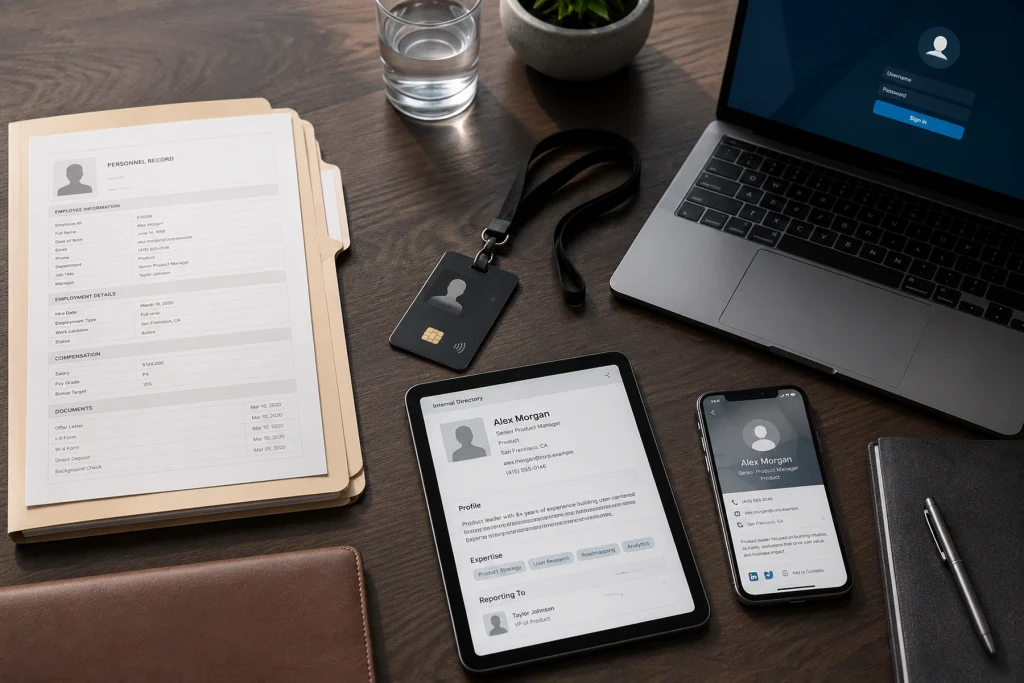
Employee identity management is the coordinated process of keeping employee information accurate, governed, current, and available to the right people throughout employment.
It typically spans four connected layers.
The HR master identity covers core employment data such as employee ID, status, title, department, manager, location, and lifecycle dates. HR usually owns this data.
The workforce access identity covers accounts, authentication, groups, permissions, and application access, typically managed by IT and security.
The internal employee profile contains role, skills, team, reporting relationships, and other information colleagues need to work effectively.
The external professional identity contains approved information employees use when representing the company, such as their title, business contact details, company information, links, and resources.
These layers should connect, but they should not be identical.
An HR record may contain confidential information. Internal profiles support collaboration. Public-facing profiles should contain only approved professional information.
The operating principle is simple:
Every important field needs one authoritative source, one accountable owner, and a defined path to every system that uses it.
Employee identity management vs. related concepts
Employee identity management is broader than identity and access management. IAM primarily focuses on accounts, authentication, permissions, and who can access which resources. Employee identity management also covers the employee data behind those accounts, including its accuracy, ownership, lifecycle, visibility, and distribution.
Employee profile management is narrower. It determines which approved employee information appears for a particular audience.
Personal branding focuses on what an individual professional is known for, while brand consistency focuses on whether employees represent the company accurately. Employee identity management supports both by keeping the underlying employee information reliable and governed.
What are HR teams trying to solve?
Most HR teams do not lack employee data. The challenge is keeping it consistent as it moves across systems, teams, and lifecycle events.
The key questions are:
- Where should the official employee record live?
- Which system owns each important field?
- What should update after a promotion, transfer, or manager change?
- Which fields should employees be allowed to edit?
- How should internal and public profiles differ?
- What happens when an employee or contractor leaves?
The missing piece is usually not another profile. It is a clear system for authority, governance, distribution, and lifecycle management.
Why employee identity becomes difficult to manage at scale

Employee identity may be manageable with a small workforce and a few systems. Complexity grows quickly as employees, teams, locations, tools, and profile types multiply.
One employee exists in many systems
The same person may appear in the HRIS, payroll platform, identity provider, email directory, collaboration tools, intranet, organizational chart, learning platform, CRM, email signature, internal profile, and digital business card.
If each system maintains its own version of the employee’s title, department, manager, phone number, or employment status, inconsistencies are inevitable.
Ownership is fragmented
Different teams control different parts of employee identity.
HR may own employment status and job data. IT manages accounts and access. Managers approve team-specific information. Marketing controls company-facing elements. Employees may maintain photos, bios, pronunciation, links, or contact preferences.
Without field-level ownership, people may change information they should not control, while other updates remain stale because nobody knows who is responsible.
Employee identity keeps changing
New hires are only one part of the workload.
Promotions, transfers, reorganizations, manager changes, location changes, leave, rehires, contractor expirations, and departures can all affect an employee’s identity.
The U.S. Bureau of Labor Statistics reported that median employee tenure was 3.9 years in January 2024, the lowest level since January 2002.
That does not capture every internal role change, but it shows why employee identity cannot be treated as a static onboarding record. HR needs workflows triggered by employment events, not occasional cleanup projects.
Different audiences need different identity views
A colleague may need an employee’s team, manager, skills, location, and working information.
A customer may need an approved title, business contact details, company information, calendar, and relevant resources.
The underlying employee data may be shared, but its visibility should depend on the audience.
Also read: How to Maintain Brand Consistency Across Employees
How to manage employee identity at scale
A scalable system starts with data ownership and lifecycle rules. Automation should come after the organization understands what each field means, who controls it, and where it needs to go.
Step 1: Map every employee identity surface
Start by identifying every system, profile, directory, physical or digital card, and asset that stores or displays employee information.
For each one, establish its purpose, audience, fields displayed, owner, edit access, source data, visibility, update method, and deactivation process.
This should include internal directories, organizational charts, email signatures, customer-facing profiles, digital business cards, and role-specific systems.
Following one employee through the organization is often enough to expose duplicate fields, stale information, and broken handoffs.
Step 2: Define the authoritative source for each field
Decide where each important piece of employee information originates.
The HRIS may be authoritative for employee ID, employment status, official title, department, manager, location, employment type, and lifecycle dates.
It does not need to own everything. Employees may own their profile photo. Marketing may control the company logo or approved company description. The identity provider may generate groups and permissions.
For example, employment status may originate in the HRIS and flow into payroll, directories, and the identity provider. A job title may also originate in the HRIS but appear in internal profiles, email signatures, and customer-facing digital and physical cards.
A single source of truth does not mean one platform must own every field. It means each field has one recognized authority.
Step 3: Define who can change and see each field
Once the source is clear, define governance.
Some fields should remain HR-controlled or IT-controlled. Others may require manager approval. Employees may be allowed to maintain selected information such as their photo, bio, languages, or contact preferences.
Company-owned, security-sensitive, and legally significant information should remain protected.
Visibility should also be intentional. Some information may be public, some internal, and some restricted.
Avoid both extremes. Unrestricted editing creates inconsistency. Locking everything creates support work and stale profiles.
Step 4: Build joiner, mover, and leaver workflows
Employee identity should react to employment events.
Joiner: Create the HR record, employee ID, account, email, manager relationship, groups, internal profile, and any approved external profile.
Mover: Update the authoritative record first. Then propagate the changes to affected directories, organizational charts, permissions, email signatures, team memberships, and external profiles.
Leaver: Update employment status, disable access, remove directory visibility where required, deactivate public profiles, transfer shared resources, reassign customer relationships, and apply retention rules.
Every workflow should have trigger dates and named owners.
“Someone will remember” is not a workflow.
Step 5: Define how data moves between systems
Once ownership is established, map where the data needs to go.
A typical flow may look like:
HRIS → identity provider and workplace directory → internal employee systems → approved external profile systems
For every connection, define:
- Which fields move
- Sync direction
- Update trigger
- Conflict rules
- Error handling
- Responsible owner
- Deactivation behavior
Connections may use native integrations, APIs, SCIM, webhooks, scheduled imports, or controlled CSV uploads.
The specific method matters less than predictable behavior.
Do not automate unclear data. Automation distributes bad information faster.
Step 6: Create profile views for specific audiences
Employee profiles should be outputs of the identity system, not independent databases.
An HR administrator, colleague, manager, recruiter, and customer do not need the same information.
Each profile should expose only what its audience needs while following the same ownership and visibility rules as the underlying identity system.
Step 7: Pilot with one team
Start with a team that experiences frequent identity changes or has high external visibility, such as sales, recruitment, consulting, customer success, or field operations.
Test data accuracy, ownership, approvals, employee editing, sync reliability, privacy, role changes, deactivation, support volume, and adoption.
Include at least one simulated mover and leaver event.
A system that works only for new hires is incomplete.
Step 8: Audit and measure
Once the system is running, measure whether employee information remains accurate and whether lifecycle changes reach every relevant surface.
Useful metrics include:
- Conflicting records
- Failed syncs
- Time to prepare a new hire
- Time to complete a role change
- Orphaned accounts or profiles
- Offboarding completion rate
- Manual identity-related support requests
- Time since last profile verification
For customer-facing profiles, organizations may also track profile views, contact saves, meeting bookings, lead submissions, and follow-up activity.
The goal is to detect identity drift quickly and reduce manual correction.
Employee identity lifecycle examples
Lifecycle management becomes practical when HR translates it into specific employment events and expected system actions.
| Scenario | Authoritative change | Systems affected | Expected outcome |
| New sales employee | New active HR record | Directory, email, access tools, CRM, internal and external profiles | Employee is ready and correctly represented on day one |
| Promotion | Title, manager, or grade | Directory, org chart, permissions, signatures, profiles | Previous role information is replaced |
| Department transfer | Department, manager, role | Groups, access, directory, profile, team resources | New access and identity details are applied and old ones removed |
| Contractor end date | Status becomes inactive | Accounts, directories, profiles, shared resources | Access and visible identity end on schedule |
| Departure | Termination event | IAM, email, directories, public profile, CRM ownership | Access closes, profiles deactivate, and work is reassigned |
Rehires, extended leave, mergers, and legal holds may require exceptions, but those exceptions should still follow documented rules.
How employee profiles fit into employee identity management
Employee profiles are audience-specific views of approved employee information.
Where practical, they should use authoritative data rather than becoming unofficial copies of the HR record.
Internal employee profiles
Internal profiles help employees understand who works where, who owns what, and who has relevant expertise.
They may contain role, department, manager, team, location, time zone, skills, languages, responsibilities, and collaboration preferences.
Their purpose is organizational clarity and collaboration, not personal promotion.
External professional profiles
Customer-facing employees need a different type of profile: one that is easy to share, professionally consistent, and centrally governable.
A useful external professional profile may include your name and title, business contact information, relevant links, meeting calendar, and a lead capture form.
This is where employee identity, contact sharing, and follow-up meet.
Digital Business Card Pro can act as the managed external identity layer for customer-facing teams, helping organizations keep company-approved professional information consistent while giving employees controlled access to their own cards.
Teams can create cards in bulk, synchronize approved data through Microsoft Entra ID or Google Workspace, apply controlled templates, lock company-managed fields, manage employee access, update cards centrally, and deactivate cards when people leave.
Lead capture and analytics can also support sales, recruitment, events, and other customer-facing workflows.
Digital Business Card Pro complements the HRIS and identity provider. It does not replace either one.
Common employee identity management mistakes
Most employee identity problems come from unclear ownership and incomplete lifecycle rules rather than a lack of software.
Treating employee identity as an IT-only responsibility
IT manages accounts and access, but HR owns employment events and much of the authoritative data that should trigger those changes.
Employee identity management requires shared ownership.
Selecting software before defining the identity model
A tool cannot decide which title is official, who approves public information, which fields employees can edit, or what happens when a contractor expires.
Define the operating rules before choosing technology.
Using one profile for every audience
Administrative, internal, manager, recruitment, and public profiles have different purposes and privacy requirements.
Create governed views instead of one universal profile.
Giving employees too much or too little control
Unrestricted editing can create inaccurate company information. Excessive restriction creates unnecessary support work and stale employee details.
The right model gives employees control where appropriate while protecting company-managed and sensitive information.
Maintaining duplicate data manually
Every independently maintained copy creates another opportunity for employee information to drift.
Where possible, distribute data from its authoritative source instead.
Ignoring contractors and temporary workers
Contractors, interns, and temporary workers still need a sponsor, status, start date, end date, identity rules, and deactivation path.
Treating offboarding as account deletion
Offboarding covers more than system access.
It may also require changes to directory visibility, external profiles, digital business cards, shared assets, customer relationships, resource ownership, and retention.
Verizon’s 2024 Data Breach Investigations Report found that 68% of breaches involved a non-malicious human element, such as error or social engineering.
That does not make HR responsible for cybersecurity. It reinforces why lifecycle actions should follow defined workflows rather than depend on individual memory.
What should HR look for in employee identity management tools?
Most organizations need a connected stack rather than one platform claiming to manage every part of employee identity.
The right technology should support the operating model already defined.
Approved employee information should flow from authoritative sources into downstream systems without creating unnecessary manual copies. Joiner, mover, and leaver events should trigger predictable updates. Administrators should be able to control who can edit or view specific information and trace changes when something goes wrong.
The system should also support scale. HR needs practical ways to create, update, verify, and deactivate employee records or profiles in bulk rather than handling every change individually.
Privacy controls matter because restricted HR data, internal employee information, optional profile details, and public professional information should not be treated the same way.
For customer-facing employees, organizations should also consider whether external professional profiles can be governed centrally, updated when employee data changes, deactivated during offboarding, and measured where appropriate.
Choose technology after defining your fields, owners, profile types, and lifecycle workflows. Otherwise, software simply hardens an undefined process.
Also read: 7 Best Digital Business Card Platforms for Teams in 2026
Make employee identity a managed lifecycle
Employee identity management works when accurate information moves from an authoritative source to the right systems and profiles at the right time.
Start with one employee. Trace their identity across HR, access, directories, internal profiles, and customer-facing touchpoints. Identify who owns each important field, define what happens when the employee joins, moves, or leaves, and separate internal identity from public professional identity.
Then automate the workflows creating the most manual work, inconsistency, or risk.
For customer-facing teams, Digital Business Card Pro provides a controlled system for managing employee digital business cards at scale. HR, IT, marketing, and sales teams can deploy cards in bulk, synchronize approved directory data, protect company-managed fields, give employees controlled access, update cards centrally, and connect professional identity with lead capture and analytics.
Frequently asked questions
What is employee identity management?
Employee identity management is the process of creating, governing, updating, distributing, and retiring employee information across HR systems, workplace tools, directories, profiles, access platforms, and approved external touchpoints.
Is employee identity management the same as identity and access management?
No. Identity and access management focuses primarily on accounts, authentication, permissions, and resource access. Employee identity management also covers authoritative employee data, lifecycle events, profiles, ownership, visibility, and data accuracy.
Who owns employee identity management?
Ownership is shared. HR typically owns employment status and core job data. IT and security manage accounts and access. Managers may approve role-specific information. Marketing may control company-facing fields. Employees can maintain selected personal or professional details.
What is the difference between an employee profile and an HR record?
An HR record is the official administrative record and may contain confidential information. An employee profile is a selected view of approved information for colleagues, managers, candidates, customers, or partners.
Which profile fields should employees edit?
Employees can typically maintain fields such as photos, bios, pronunciation, selected contact details, languages, skills, and approved links. Official titles, employment status, reporting lines, company branding, and access permissions should remain controlled.
How does employee identity management support onboarding and offboarding?
During onboarding, employee identity management helps create the required accounts, access, directory entries, and profiles from approved employee data. During offboarding, it helps disable access, deactivate profiles, transfer ownership, and apply retention rules.
Where do digital business cards fit?
Digital business cards can serve as governed external employee profiles. Organizations can centrally manage templates, approved fields, employee access, updates, deactivation, contact sharing, lead capture, and analytics.
You may also like
Professional Email Signature Guide: What to Include and How to Create One
This guide discusses what a professional email signature is, what to include in it, how to create one, and how to use it with your digital card.
5 Best Event Lead Capture Tools in 2026
Event lead capture gets messy fast. Let’s look at the five best event lead capture tools, and how to choose the right one.
6 Best Digital Business Card Platforms for Teams in 2026
Compare the 6 best digital business card platforms for teams and find the right platform for your organization.
How Much Does a Digital Business Card Cost? (2026 Pricing Guide)
This guide helps you understand how much a digital business card costs and how much to invest based on your requirements.