Present your creative identity
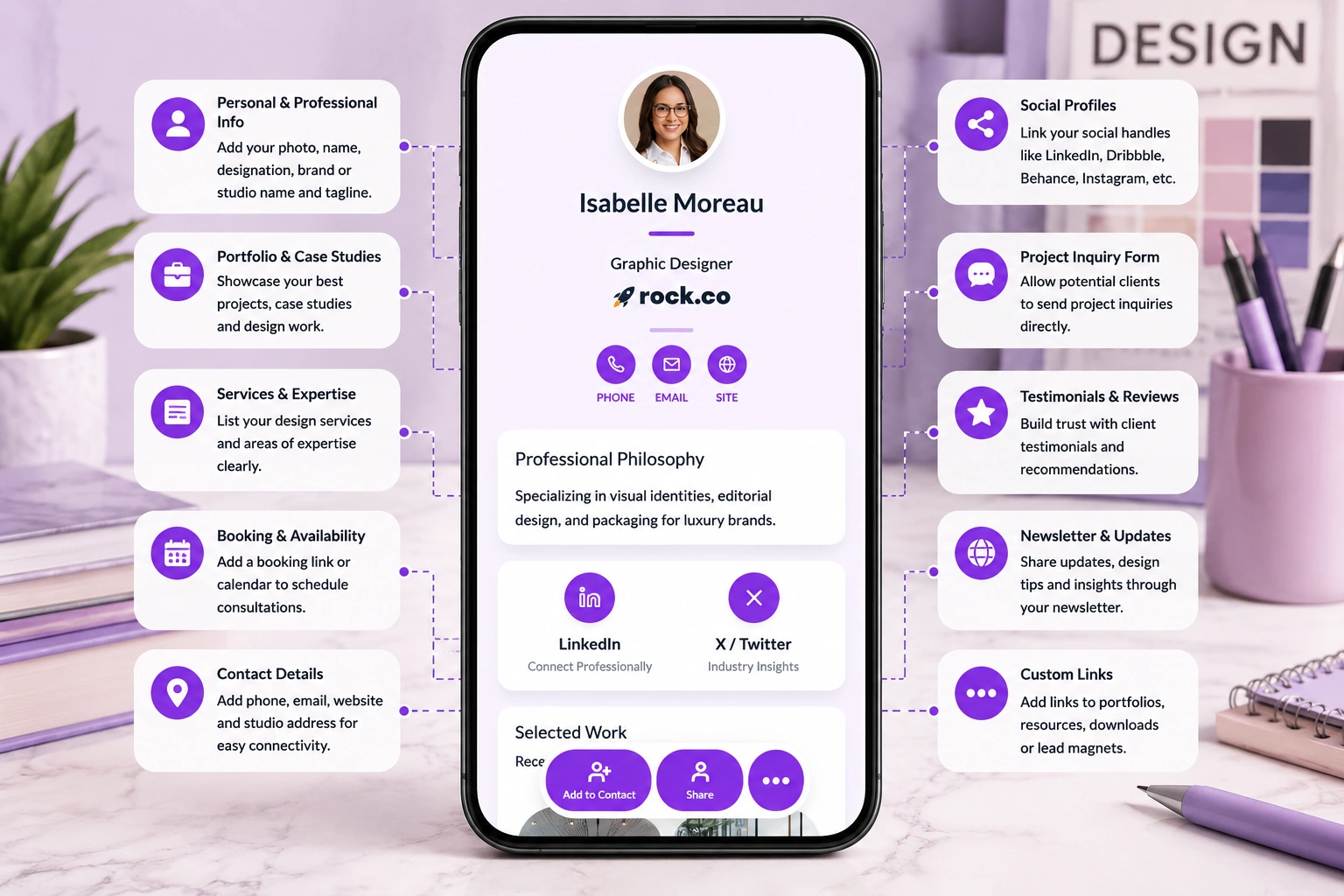
Show your name, title, niche, logo, profile photo, contact details, website, availability, and design services in one polished profile.

Share your portfolio, services, case studies, project inquiry form, booking link, social profiles, and contact details from one polished designer profile.
Design clients rarely decide from a name and phone number alone. They want to see your style, understand your services, review your past work, and know whether you are the right fit for their project.
Show your name, title, niche, logo, profile photo, contact details, website, availability, and design services in one polished profile.
Give clients direct access to your best work, case studies, Behance, Dribbble, Figma files, website, PDF portfolio, or selected client projects.
Add a project inquiry form, discovery call link, consultation booking link, WhatsApp, email button, or design brief submission form.
Your designer digital business card should help people understand who you are, what you design, how good your work is, and how to start a project with you.
A paper card helps someone remember your name. A digital business card helps them view your work, understand your services, trust your skills, and contact you with project context.
| Feature | Paper business card | Digital business card |
|---|---|---|
| Shares contact details | ||
| Shows portfolio links | ||
| Displays case studies | ||
| Links to Behance, Dribbble, or Figma | ||
| Collects project inquiries | ||
| Shows testimonials and client logos | ||
| Supports booking links | ||
| Updates without reprinting | ||
| Tracks views, clicks, and inquiries |
Design opportunities often start in informal places. A networking event, client referral, LinkedIn chat, portfolio review, coworking meetup, or agency conversation can turn into a project when the next step is easy.
Share your card at design conferences, startup events, portfolio reviews, college events, coworking spaces, and local business meetups.
Send your digital card before or after a meeting so clients can review your portfolio, understand your services, and book the next call.
Add your card link or QR code to proposals, portfolio PDFs, pitch decks, invoices, quotes, and project documents.
Make it easier for clients, marketers, founders, agencies, photographers, developers, and consultants to refer you.
Design inquiries become easier to manage when prospects share the right details from the start. A message like “Can you design something for me?” usually needs several follow-ups before you know whether the project is a good fit.
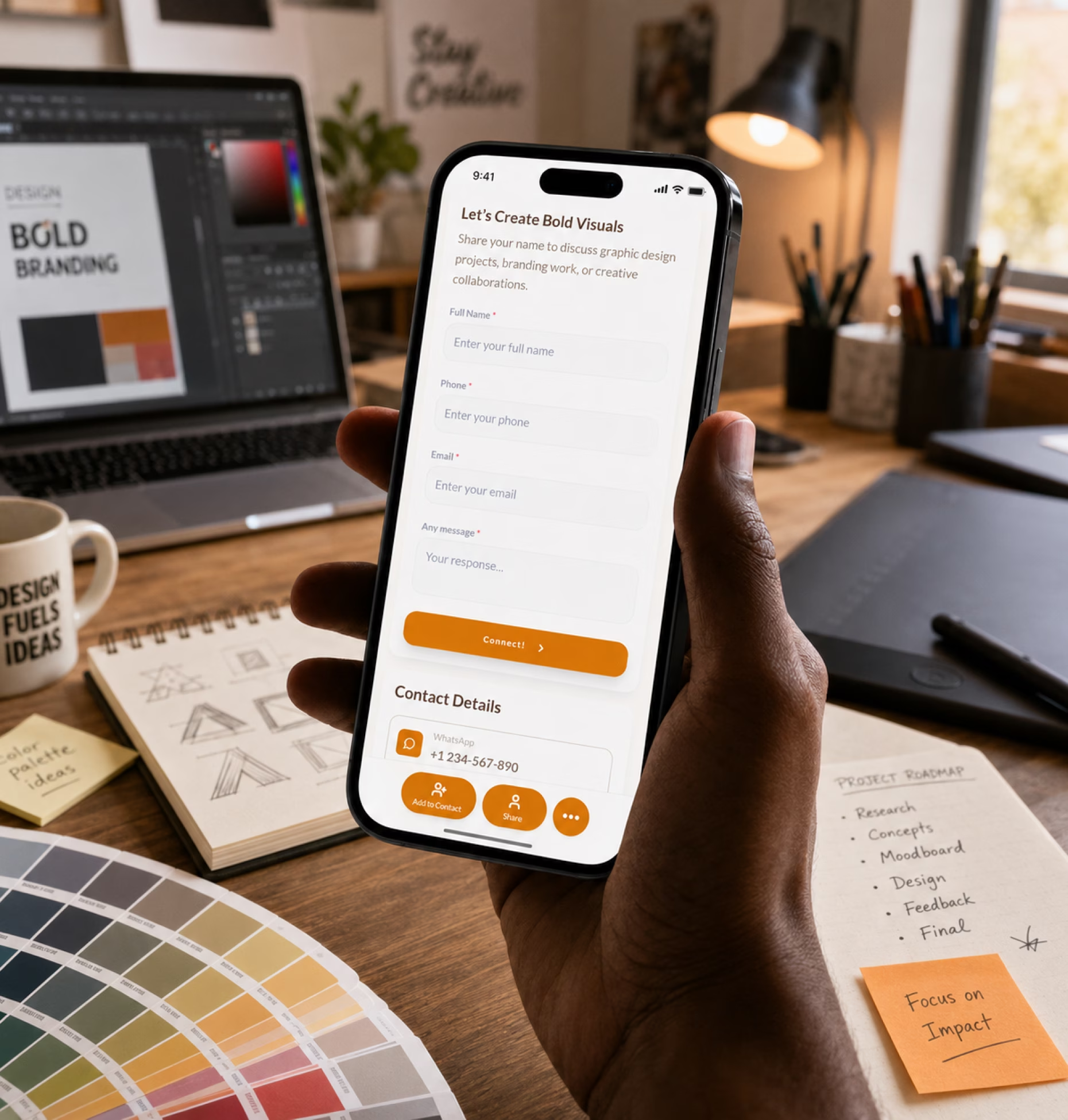
Add a project inquiry form to your digital business card so potential clients can explain what they need before you respond.
Every designer presents work differently. Your digital card should match your niche, portfolio style, and client journey.
Share branding work, print designs, social media creatives, packaging, brochures, posters, campaign assets, testimonials, and inquiry forms.
Show product case studies, UX research, app screens, web interfaces, Figma prototypes, design systems, and usability improvements.
Present logo systems, brand guidelines, visual identity projects, packaging, campaign identity, naming support, and client stories.
Share website projects, landing pages, CMS builds, redesign examples, SEO-ready pages, performance improvements, and booking links.
Show user flows, prototypes, SaaS interfaces, mobile apps, dashboards, research insights, and measurable design outcomes.
Add showreels, animation samples, explainer videos, campaign motion assets, title sequences, social videos, and inquiry links.
Share services, availability, portfolio, rates guide, project inquiry form, testimonials, and your preferred collaboration process.
Create cards for founders, creative directors, designers, account managers, and project teams while keeping branding consistent.
Designers often share too many links during the sales process: one for a portfolio, one for Behance, one for Dribbble, one for Figma, one for testimonials, one for booking, and another for contact details.
Keep your portfolio, services, case studies, social links, testimonials, booking link, project inquiry form, and contact details organized in one focused profile.
Digital Business Card PRO helps designers, freelancers, studios, and creative teams create professional digital profiles for portfolio sharing, project inquiries, client follow-ups, and brand consistency.
Create a polished profile with your name, role, profile photo, services, portfolio links, case studies, social profiles, testimonials, and contact options.
Add forms for design briefs, project inquiries, discovery calls, consultation requests, quote requests, collaboration inquiries, or onboarding.
Use your logo, colors, profile image, custom domain, social links, and visual structure to make your card feel aligned with your creative identity.
Track profile views, QR scans, portfolio clicks, case study clicks, booking clicks, form submissions, email clicks, and phone clicks.
Your digital business card works across the places where clients, collaborators, recruiters, agencies, and referrals discover your work.
Whether you work independently or lead large teams, Digital Business Card.Pro adapts to how your industry connects and grows.
Make it easier for clients, agencies, recruiters, founders, collaborators, and referrals to view your work, understand your services, trust your skills, and contact you with the right project details.
A digital business card for designers is an online creative profile that includes your contact details, portfolio, case studies, services, testimonials, social links, booking link, and project inquiry form. You can share it through a QR code, NFC card, direct link, email signature, resume, portfolio PDF, event badge, or Wallet Pass.
Designers should include their name, role, profile photo, portfolio link, design services, selected projects, case studies, Behance or Dribbble profile, Figma links, testimonials, booking link, project inquiry form, and contact details.
It gives prospects one place to view your work, understand your services, check your credibility, submit a project inquiry, and contact you. This helps turn networking conversations, referrals, social profile visits, and portfolio views into project opportunities.
Yes. You can add links to your portfolio website, Behance, Dribbble, Figma prototypes, Adobe Portfolio, PDF portfolio, case studies, videos, showreels, or selected project galleries.
Yes. Graphic designers can use digital business cards to share branding work, logo design, packaging, print projects, social media creatives, campaign visuals, testimonials, and project inquiry forms.
Yes. UI/UX designers can share product case studies, app screens, websites, design systems, UX research, Figma prototypes, portfolio links, and consultation booking options.
Yes. Designers can add a project inquiry form that asks for project type, design service needed, goals, timeline, budget, brand assets, reference links, and preferred contact method.
Yes. Freelance designers can use digital business cards to share their portfolio, services, availability, testimonials, booking links, pricing guides, and inquiry forms with potential clients.
Yes. Design studios and creative agencies can create cards for founders, creative directors, designers, account managers, and project managers while keeping branding consistent across the team.
Yes. You can update portfolio links, services, contact details, testimonials, booking links, availability, pricing guides, and social profiles anytime without changing your QR code or reprinting materials.
Designers can share their card on printed business cards, NFC cards, email signatures, resumes, portfolio PDFs, proposals, invoices, LinkedIn, Instagram, Behance, Dribbble, personal websites, event badges, and creative communities.
Yes. A custom domain can make your designer card look more professional, branded, and memorable, especially when sharing it with clients, recruiters, agencies, and collaborators.
Useful signals include profile views, QR scans, portfolio clicks, case study clicks, booking clicks, form submissions, email clicks, phone clicks, social profile clicks, and engagement by card or team member.