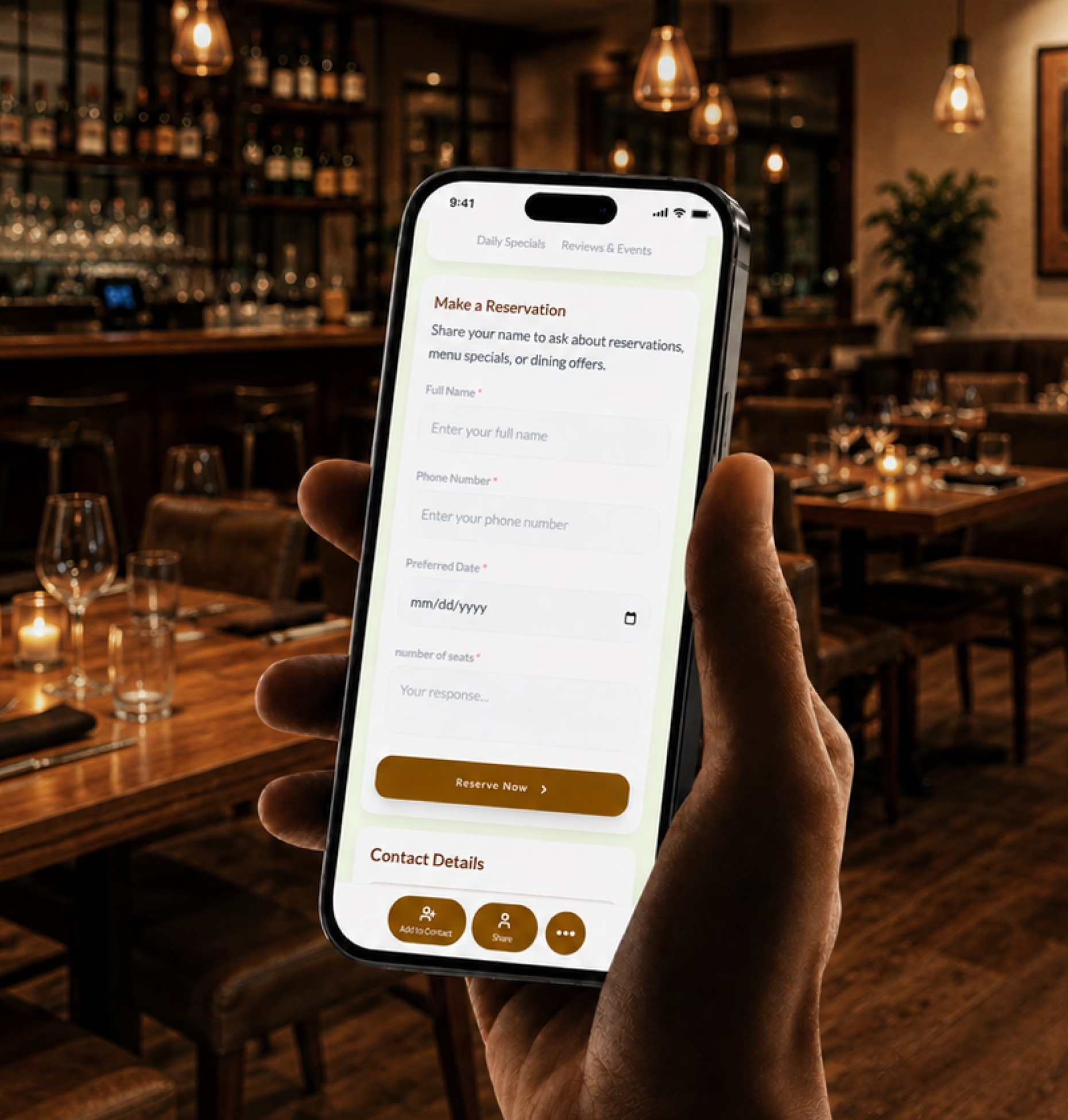
Help guests act faster
Link to your menu, reservation page, online ordering, delivery apps, WhatsApp, phone number, directions, or private dining form from one profile.

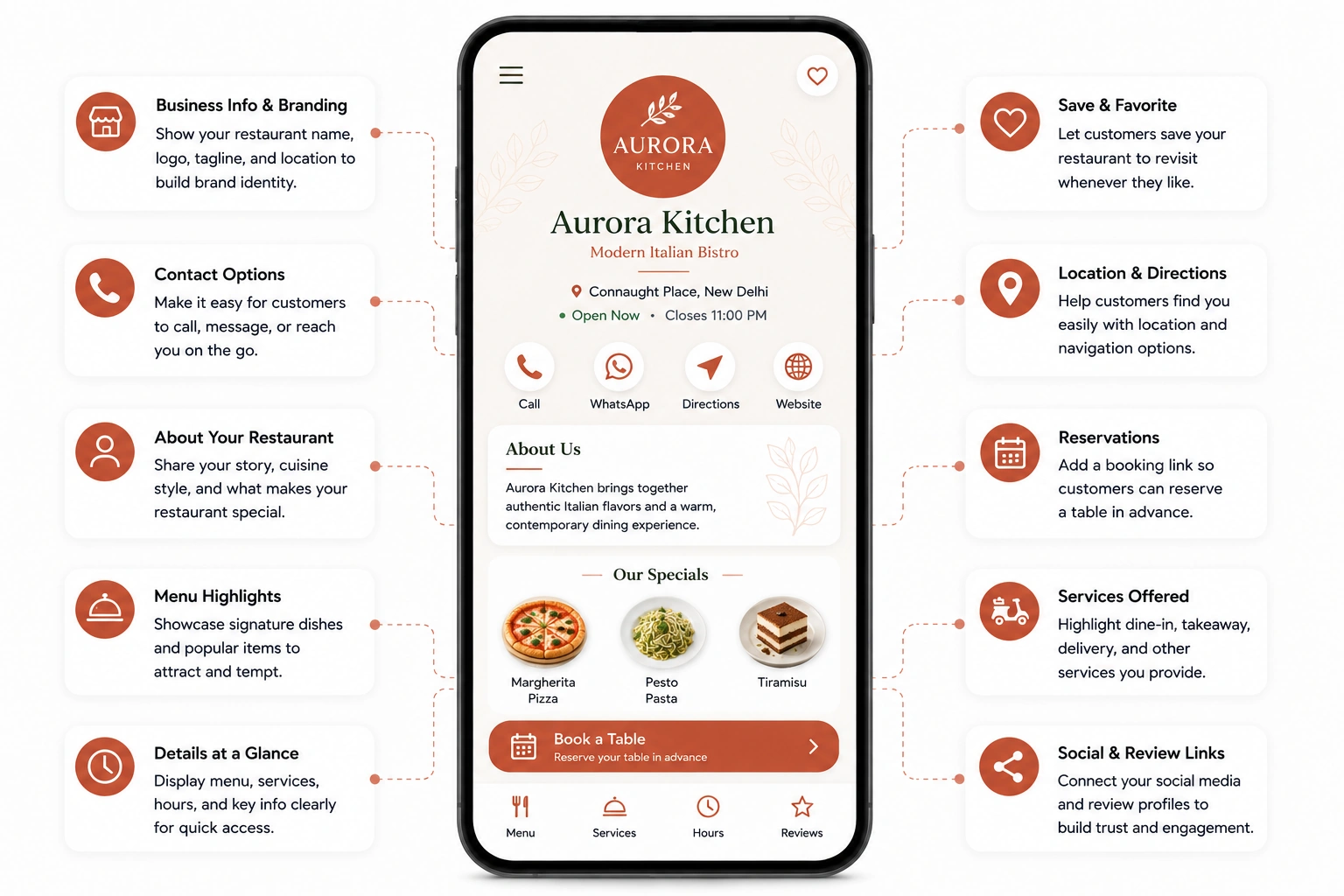
Create a restaurant digital business card with your menu, reservation link, online ordering, location, hours, daily specials, reviews, catering inquiries, and social profiles in one easy-to-share profile.
Restaurant decisions happen quickly. A guest checks your Instagram, scans a table QR code, searches your location, sees your takeout packaging, hears about your food from a friend, or walks past your storefront during lunch.
Link to your menu, reservation page, online ordering, delivery apps, WhatsApp, phone number, directions, or private dining form from one profile.
Use one profile for table menus, booking links, takeout orders, delivery options, catering inquiries, daily specials, and branch-specific details.
Share food photos, reviews, ratings, cuisine details, ambience photos, chef notes, dietary information, opening hours, parking details, and location links.
Your restaurant digital business card should help guests decide what to eat, how to book, where to go, and how to order.
A paper card can share your restaurant name and phone number. A digital business card can connect diners to live menus, reservations, delivery links, reviews, loyalty programs, and daily offers.
| Feature | Paper business card | Digital business card |
|---|---|---|
| Shares contact details | ||
| Shows live menu | ||
| Links to reservations | ||
| Supports online ordering | ||
| Connects to delivery apps | ||
| Promotes daily specials | ||
| Collects private dining inquiries | ||
| Shares reviews and ratings | ||
| Updates hours and offers anytime | ||
| Tracks scans, clicks, and bookings |
Restaurants already have many moments where guests are ready to act. Your tables, counters, menus, receipts, takeaway bags, delivery inserts, and social profiles can all guide diners to the next step.
Place QR codes on table tents, menu stands, counter displays, bar tops, reception desks, and pickup shelves so guests can view menus, order, or join loyalty.
Add your card to takeaway bags, food boxes, cup sleeves, delivery inserts, stickers, and receipts so customers can reorder or leave a review.
Use one flexible profile for Instagram, TikTok, Facebook, YouTube, and WhatsApp Business with menus, bookings, events, and specials.
Share your card in reservation confirmations, SMS updates, review requests, birthday offers, loyalty messages, and post-event thank-you messages.
Restaurant inquiries are easier to handle when guests share the right details upfront. A private dinner, birthday table, catering request, or group reservation needs more than a basic message.
Add inquiry forms to your restaurant digital business card so your team can respond faster and with better context.
Different food businesses need different guest journeys. Your digital business card should match how people discover, choose, and return to your brand.
Share your menu, location, hours, reservation link, online ordering, delivery links, reviews, and daily specials.
Promote tasting menus, chef specials, private dining, reservation policies, wine lists, ambience photos, and event inquiries.
Show menus, opening hours, pickup ordering, loyalty programs, seasonal drinks, community events, catering trays, and location details.
Share cocktail menus, happy hours, table reservations, event nights, guest lists, private parties, and social links.
Add live location updates, daily routes, menu links, ordering options, event booking forms, and social profiles.
Guide guests to ordering platforms, menu categories, delivery areas, reviews, offers, and customer support links.
Collect corporate lunch inquiries, wedding catering requests, party orders, dietary requirements, event dates, guest counts, and menu preferences.
Create cards for each branch, host, manager, franchise location, catering team, and event contact while keeping branding consistent.
Restaurants grow when guests return, reorder, recommend, and remember you. Your digital business card can support that relationship after the meal is over.
Add loyalty programs, birthday clubs, reorder links, review prompts, gift cards, and special offers so guests have a clear reason to return.
Guests often decide before they arrive. They look at photos, reviews, menus, ambience, dietary options, and location details before choosing a restaurant.
Link to food galleries, menu highlights, interiors, outdoor seating, chef specials, drinks, desserts, event setups, and customer photos.
Add Google reviews, delivery app ratings, testimonials, press mentions, influencer visits, and guest feedback.
Include opening hours, reservation policy, parking information, dress code, seating options, accessibility notes, and accepted payment methods.
Make vegetarian, vegan, gluten-free, halal, allergen-friendly, kid-friendly, and special diet details easy to find.
Digital Business Card PRO helps restaurants create professional, easy-to-share digital profiles that support menus, reservations, ordering, guest engagement, and brand consistency.
Create a polished profile with your restaurant name, logo, menu, reservation link, ordering links, location, hours, reviews, social profiles, and contact details.
Add buttons for view menu, reserve table, order online, call, WhatsApp, get directions, leave a review, join loyalty, request catering, or book private dining.
Create cards for restaurant owners, hosts, managers, catering teams, event teams, franchise locations, and branches while keeping branding consistent.
Track profile views, QR scans, menu clicks, reservation clicks, order clicks, direction clicks, review clicks, social clicks, catering inquiries, and loyalty signups.
Your digital business card works across every place guests discover, visit, order, or return to your restaurant.
Whether you work independently or lead large teams, Digital Business Card.Pro adapts to how your industry connects and grows.
Make it easier for guests to view your menu, reserve a table, order online, find your location, join loyalty, leave reviews, and return for future visits from one professional profile.
A digital business card for restaurants is an online restaurant profile that includes your menu, reservation link, online ordering, delivery links, location, hours, reviews, social profiles, catering forms, and contact details. You can share it through a QR code, NFC card, direct link, table display, packaging, email signature, or Wallet Pass.
A restaurant should include its name, logo, phone number, WhatsApp, address, directions, opening hours, digital menu, reservation link, online ordering link, delivery app links, daily specials, food photos, reviews, loyalty signup, catering form, gift card link, and social profiles.
It gives guests one place to view your menu, reserve a table, order online, check delivery options, find your location, read reviews, and contact your restaurant. This helps turn table scans, social traffic, local promotions, takeout packaging, and repeat guests into action.
Yes. You can link to a digital menu, PDF menu, online ordering menu, seasonal menu, drinks menu, catering menu, or individual menu categories.
Yes. You can add reservation links, online ordering links, delivery app links, WhatsApp ordering, phone ordering, and branch-specific booking links.
Yes. Restaurants can add QR codes to table tents, menus, counters, receipts, takeaway packaging, delivery inserts, window posters, and flyers so guests can view menus, order, reserve, review, or join loyalty.
Yes. Cafes can use digital business cards to share menus, opening hours, pickup ordering, loyalty programs, seasonal drinks, community events, catering trays, and location details.
Yes. Bars and lounges can share cocktail menus, happy hours, table reservations, event nights, guest lists, private party inquiries, and social profiles.
Yes. You can add forms for private dining, group reservations, catering, birthday dinners, corporate lunches, wedding events, and special occasions.
Yes. Restaurants can create cards for different branches, managers, hosts, franchise locations, catering contacts, and event teams while keeping brand details consistent.
Yes. You can update menus, prices, specials, opening hours, reservation links, delivery links, branch details, events, reviews, offers, and contact information anytime without changing your QR code or card link.
Restaurants can share their card on tables, menus, counters, receipts, takeaway packaging, delivery inserts, flyers, window displays, Instagram, TikTok, WhatsApp Business, Google Business Profile, reservation confirmations, SMS updates, review requests, and loyalty campaigns.
Useful signals include profile views, QR code scans, menu clicks, reservation clicks, order clicks, delivery app clicks, direction clicks, review clicks, social profile clicks, loyalty signups, catering inquiries, and private dining requests.