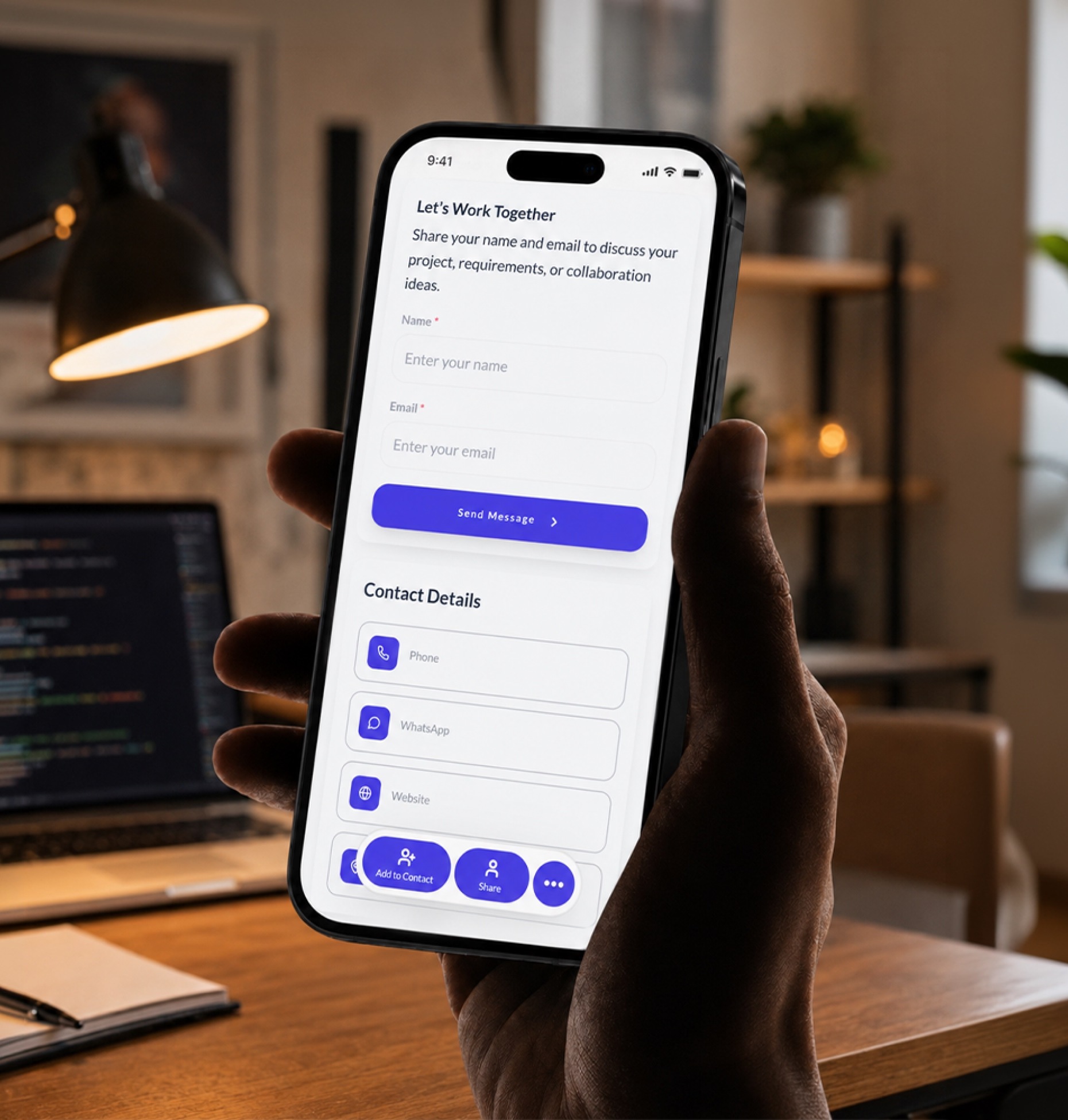
Present your freelance brand
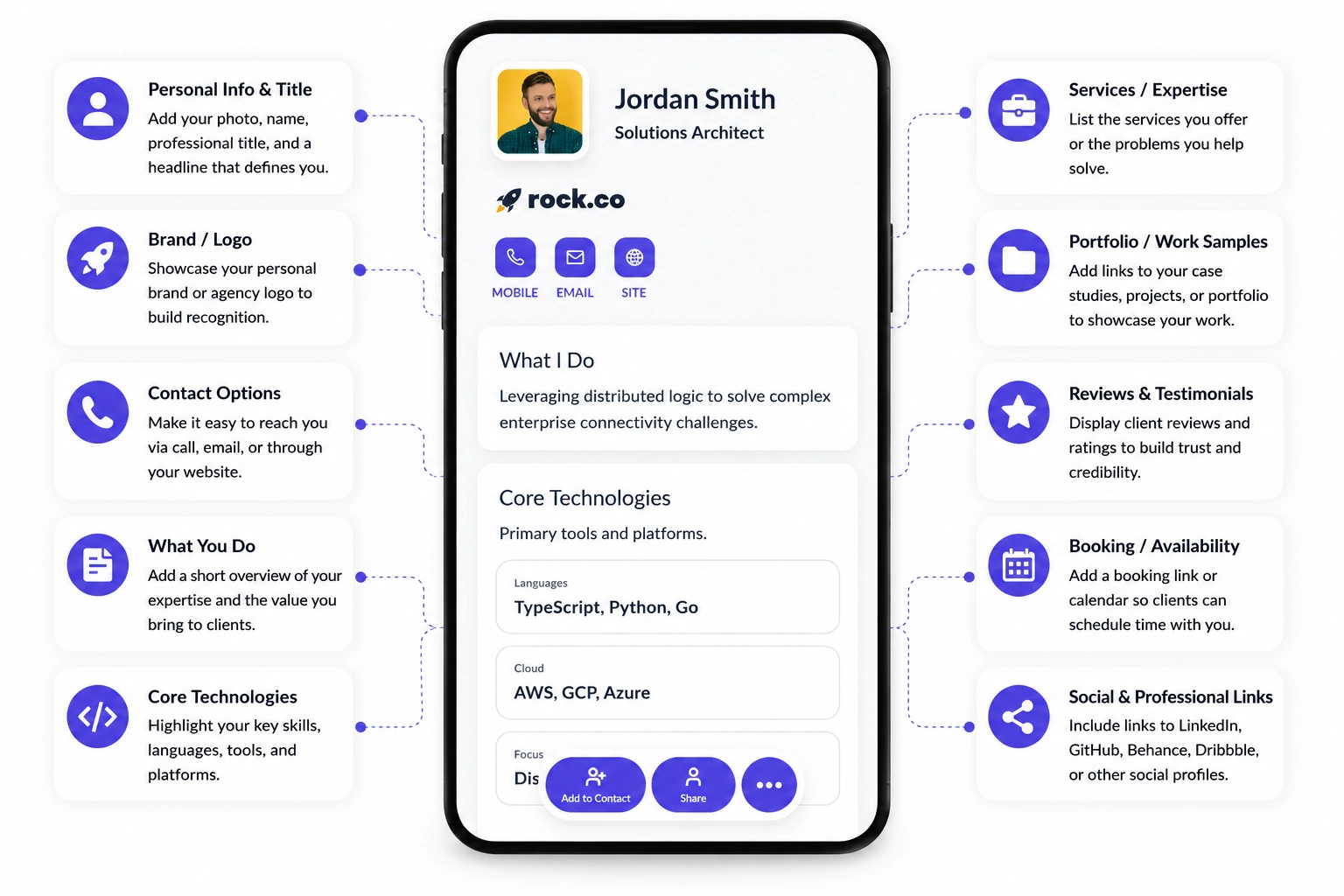
Show your name, niche, services, experience, portfolio, testimonials, and contact details in one branded profile.

Turn referrals, portfolio views, social media interest, and client conversations into project inquiries with one professional digital profile.
Freelancers win work through trust, clarity, and timing. A potential client may discover you through a referral, LinkedIn post, marketplace profile, proposal, networking event, or social media bio.
Show your name, niche, services, experience, portfolio, testimonials, and contact details in one branded profile.
Give prospects direct access to your best work, case studies, samples, client results, GitHub, Behance, Dribbble, or writing samples.
Add a project inquiry form, consultation booking link, quote request, discovery call link, or preferred contact option.
Your card should help clients understand who you are, what you do, what you have done, and how to start a conversation.
A paper card can share contact details. A freelancer digital business card can show work, build trust, collect project details, and stay updated.
| Feature | Paper business card | Digital business card |
|---|---|---|
| Shares contact details | ||
| Shows portfolio and work samples | ||
| Links to professional platforms | ||
| Collects project requirements | ||
| Shares testimonials and reviews | ||
| Updates without reprinting | ||
| Tracks views, clicks, and engagement |
Freelance opportunities often begin casually. A digital business card gives potential clients a clear next step before the moment fades.
Make it easy for clients, agencies, collaborators, and contacts to share your profile with someone who needs your services.
Add your card to proposals, pitch decks, and outreach emails so prospects can review your work and contact you faster.
Use your QR code at meetups, workshops, coworking spaces, business events, and conferences.
Move followers from LinkedIn, Instagram, X, Reddit, Slack, Discord, or creator platforms to one professional profile.
Freelance inquiries are more useful when clients share context upfront. A message that says “How much do you charge?” often creates back-and-forth before you understand the scope.
Add a short project inquiry form to your digital business card so potential clients can explain what they need and you can respond with the right next step.
Every freelancer sells a different kind of expertise. Your digital business card should reflect how clients evaluate your work.
Share branding projects, UI/UX samples, Behance or Dribbble links, packages, testimonials, and inquiry forms.
Show writing samples, niche expertise, content services, client results, testimonials, and project request forms.
Link to GitHub, websites, apps, technical projects, case studies, tech stack, and consultation links.
Share campaign examples, growth results, audits, case studies, certifications, and discovery call links.
Present expertise, industries served, consulting packages, client outcomes, thought leadership, and credentials.
Show photography, illustration, video, animation, editing, music, or production work with booking options.
Share services, availability, tools used, testimonials, onboarding forms, pricing options, and contact details.
Add programs, testimonials, booking links, workshops, resources, credentials, and inquiry forms.
Digital Business Card PRO helps freelancers and independent professionals create professional digital profiles built for portfolio sharing, project inquiries, referrals, and brand consistency.
Bring your services, work samples, testimonials, contact details, and booking links into one clean profile.
Add forms for project requests, quotes, discovery calls, consultations, creative briefs, audits, or service inquiries.
Use your logo, colors, profile image, custom domain, social links, and service structure to create a polished presence.
Track profile views, QR scans, portfolio clicks, booking clicks, inquiry submissions, and link engagement.
Your digital business card works across every place where clients discover, evaluate, or contact you.
Whether you work independently or lead large teams, Digital Business Card.Pro adapts to how your industry connects and grows.
Make it easier for potential clients to understand your services, review your work, trust your experience, and start a project conversation.
Freelancers should include contact details, professional title, services, portfolio links, work samples, testimonials, project inquiry form, booking link, social profiles, platform profiles, and service area or remote availability.
It gives potential clients one place to understand your services, view your work, check your credibility, and contact you. This makes it easier to turn referrals, social profile visits, proposals, and networking conversations into project inquiries.
A good project inquiry form should ask for project type, service needed, business or industry, budget range, timeline, project goals, required deliverables, website or brand link, preferred contact method, and a short project brief.
Yes. Freelancers can link to marketplace profiles, portfolio platforms, developer profiles, social media pages, personal websites, and professional networks from one digital card.
You can add your digital card to proposals or follow-up emails so prospects can quickly review your portfolio, testimonials, service details, booking link, and contact options before making a decision.
Yes. Freelancers without a full website can use a digital business card as a simple professional profile that includes services, portfolio links, testimonials, contact details, and inquiry options.
Designers can share branding projects, UI/UX samples, Behance or Dribbble links, service packages, testimonials, project inquiry forms, and booking links from one profile.
Writers can share writing samples, published work, niche expertise, content services, client results, testimonials, portfolio links, and project request forms.
Developers can link to GitHub, websites, apps, technical projects, case studies, tech stack, consultation links, and project inquiry forms.
Freelancers can share it in email signatures, proposals, invoices, LinkedIn profiles, social bios, marketplace profiles, personal websites, networking events, coworking spaces, and referral messages.
Freelancers should update their card whenever services, packages, pricing, availability, portfolio links, testimonials, platform profiles, or contact details change.
Useful signals include profile views, QR code scans, portfolio clicks, booking clicks, inquiry form submissions, platform profile clicks, social link clicks, and traffic from referrals or proposals.