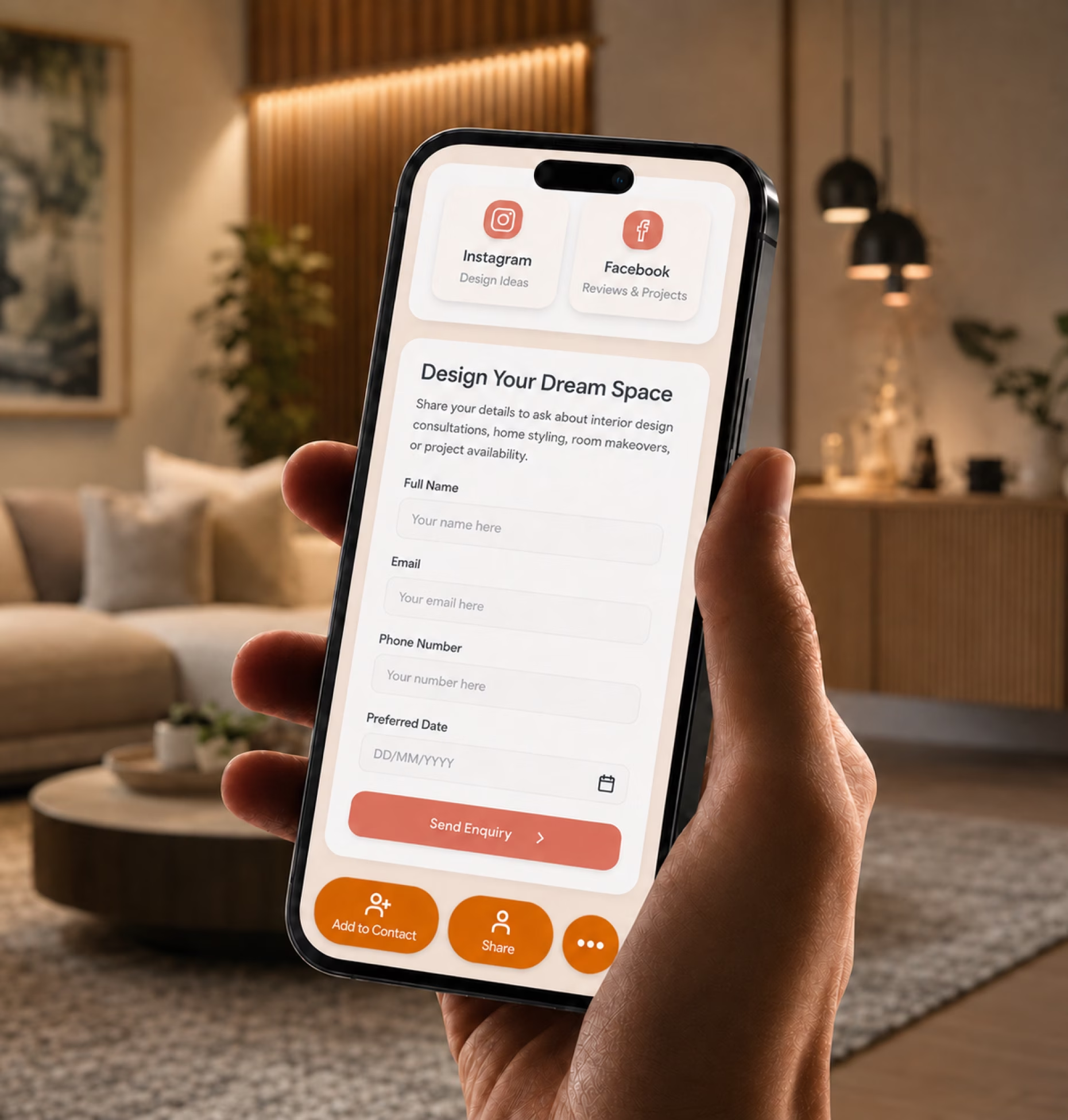
Turn portfolio views into consultations
Add your project gallery, booking link, inquiry form, phone number, WhatsApp, email, and service details so prospects can move from inspiration to action.

Share your portfolio, design style, consultation booking link, client intake form, testimonials, and contact details from one elegant designer profile.
Interior design leads often begin with visual curiosity. Someone sees your Instagram post, visits a completed project, meets you at a showroom, receives your referral, or reviews your proposal.
Add your project gallery, booking link, inquiry form, phone number, WhatsApp, email, and service details so prospects can move from inspiration to action.
Share residential projects, commercial interiors, styling work, renovations, room makeovers, material palettes, mood boards, 3D renders, and design concepts.
Include testimonials, reviews, project results, awards, certifications, media mentions, Houzz profile, Instagram portfolio, Pinterest boards, and client stories.
Your interior design profile should help prospects quickly understand your style, services, credibility, and next step.
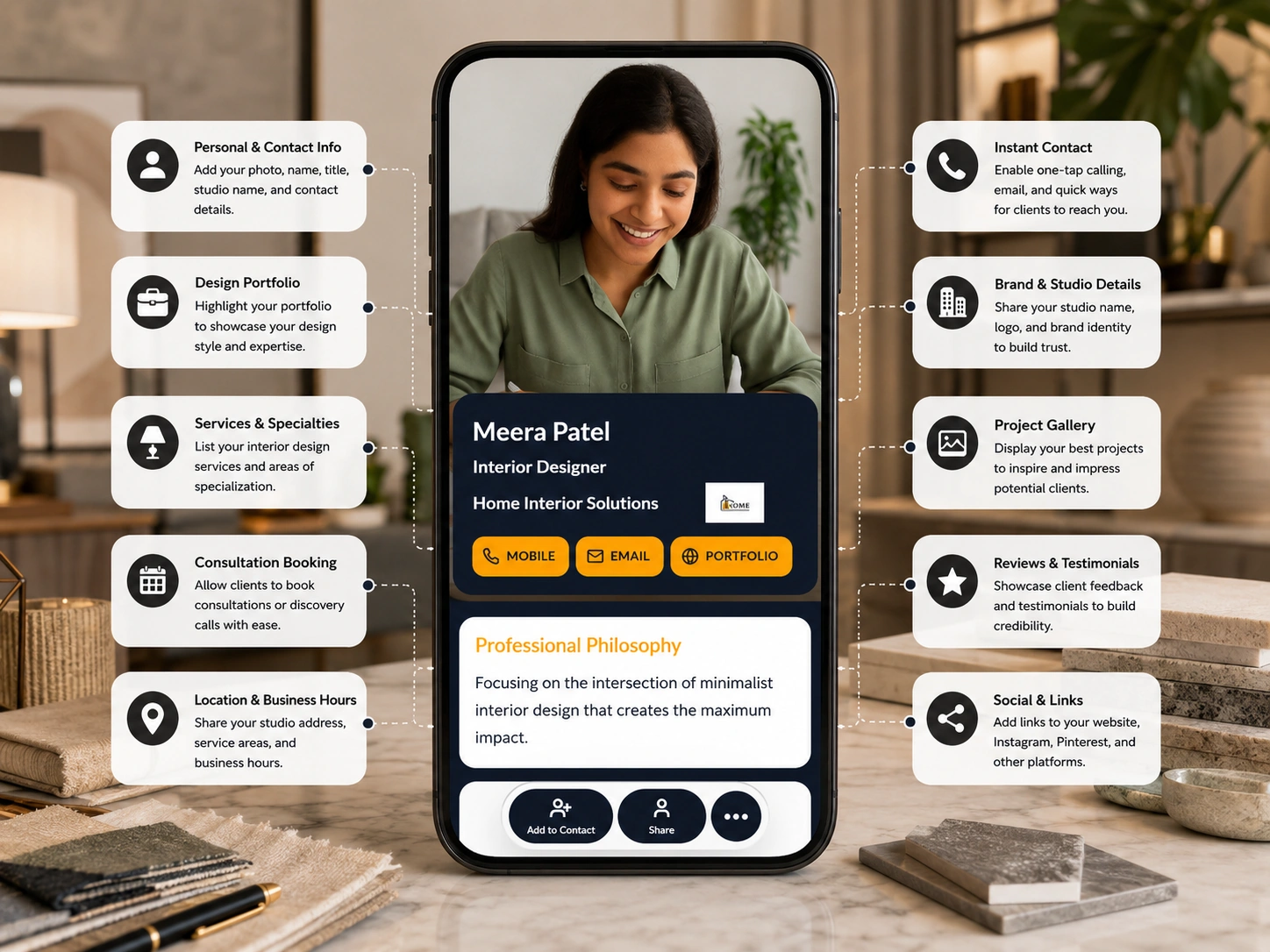
A paper card helps someone remember your name. A digital business card helps them revisit your work, understand your style, request a consultation, and share your profile with a decision-maker.
| Feature | Paper business card | Digital business card |
|---|---|---|
| Shares contact details | ||
| Shows project portfolio | ||
| Displays before-and-after transformations | ||
| Links to Instagram, Pinterest, Houzz, and website | ||
| Collects design consultation inquiries | ||
| Shares services and packages | ||
| Supports booking links | ||
| Updates new projects anytime | ||
| Tracks views, clicks, and inquiries |
Your digital card works across consultations, showrooms, social channels, proposals, referrals, and events so prospects can revisit your work when they are ready to decide.
Share your card during discovery calls, walkthroughs, and in-home consultations so prospects can review your portfolio and services after the meeting.
Use your card during furniture, lighting, flooring, paint, tile, or decor discussions so clients can access your work and inspiration boards.
Turn social media attention into action by linking followers to your portfolio, design services, consultation booking, and client intake form.
Add your card to proposals, mood boards, design presentations, estimates, and follow-up emails so clients can revisit your work while deciding.
Interior design inquiries are easier to convert when prospects share the right details early. A message that says “I need help with my house” rarely gives enough context to qualify the project.
Add a design intake form to your digital business card so prospects can explain what they need before the first call.
Every design business sells a different kind of transformation. Your digital card should reflect how clients evaluate your work and decide whether to book.
Share your design philosophy, portfolio, services, consultation link, testimonials, Instagram profile, and project inquiry form.
Create cards for founders, designers, project leads, stylists, and studio managers while keeping branding and consultation paths consistent.
Show living rooms, kitchens, bedrooms, bathrooms, full-home transformations, material palettes, furniture selections, and client stories.
Present offices, retail spaces, hospitality interiors, clinics, salons, restaurants, showrooms, case studies, and business consultation options.
Highlight styling packages, room refreshes, decor sourcing, color consultation, furniture layouts, seasonal styling, and quick booking options.
Share renovation planning, space optimization, contractor coordination, material selection, before-and-after results, and site consultation forms.
Promote occupied staging, vacant staging, styling for listings, real estate partnerships, package details, and agent inquiry forms.
Share e-design packages, online consultations, mood boards, shopping lists, room plans, video calls, and remote client intake forms.
Digital Business Card PRO helps interior designers and design studios create elegant, easy-to-share profiles for portfolio discovery, consultation booking, client intake, team cards, and brand consistency.
Create a polished profile with your studio name, logo, bio, design services, project gallery, social links, testimonials, booking link, and contact details.
Add forms for consultations, project briefs, room styling inquiries, renovation planning, staging requests, commercial projects, or virtual design packages.
Create cards for founders, interior designers, stylists, project managers, sales consultants, showroom teams, and branch locations while keeping brand identity consistent.
Track profile views, QR scans, portfolio clicks, Instagram clicks, Pinterest clicks, consultation bookings, inquiry form submissions, and proposal clicks.
Your digital business card works across every place prospects discover, evaluate, or contact your design business.
Whether you work independently or lead large teams, Digital Business Card.Pro adapts to how your industry connects and grows.
Make it easier for homeowners, businesses, builders, real estate agents, and referrals to view your work, understand your style, book a consultation, and share your profile with decision-makers.
A digital business card for interior designers is an online designer profile that includes your portfolio, services, consultation booking link, client intake form, testimonials, social profiles, website links, and contact details. You can share it through a QR code, NFC card, direct link, email signature, proposal, showroom display, social bio, or Wallet Pass.
Interior designers should include their name, studio name, logo, profile photo, design style, service areas, project portfolio, before-and-after photos, services, consultation booking link, client intake form, testimonials, Instagram, Pinterest, Houzz, website, and contact details.
Yes. You can link to room-by-room galleries for kitchens, living rooms, bedrooms, bathrooms, offices, retail spaces, hospitality projects, staging work, and full-home transformations.
Yes. You can add before-and-after galleries, renovation results, room refreshes, styling transformations, walkthrough videos, and case studies to help clients see the impact of your work.
Yes. You can link to 3D renders, virtual walkthroughs, design boards, project videos, Matterport tours, YouTube videos, portfolio pages, or presentation links.
Yes. You can add a consultation booking link, discovery call link, calendar link, WhatsApp, phone button, email button, or inquiry form so prospects can contact you directly.
Yes. You can add a client intake form that asks for project type, rooms involved, location, design style, budget range, timeline, renovation needs, inspiration links, and preferred consultation time.
Yes. Solo designers can use a digital business card to present their portfolio, design style, services, testimonials, booking link, social profiles, and contact details from one professional profile.
Yes. Studios can create cards for founders, designers, stylists, project managers, showroom teams, branch locations, and sales consultants while keeping branding and portfolio links consistent.
Yes. Home stagers can share staging packages, property photos, before-and-after results, real estate agent inquiry forms, service areas, testimonials, and booking links.
Interior designers can share their card in proposals, presentation decks, email signatures, Instagram bios, Pinterest profiles, Houzz profiles, showroom displays, sample kits, brochures, home expos, open houses, client follow-ups, and referral messages.
Yes. You can update project galleries, new services, pricing guidance, consultation availability, social links, testimonials, team members, and contact details anytime without changing your QR code or reprinting materials.
Useful signals include profile views, QR scans, portfolio clicks, Instagram clicks, Pinterest clicks, Houzz clicks, consultation booking clicks, inquiry form submissions, proposal clicks, and team card engagement.